
 News
News
 Shopify SEO
 Shopify development
Best Editing or canceling orders Shopify apps in 2027 [Updated]


| Name | Rate on Shopify | Price | Free trial | Key features |
|---|
-
#1. Self-service Order Editing App, save time, upsell product offers, and validate shipping addresses

 Let customers edit their orders after purchase with this self-service Order Editing App. Customers can update shipping addresses, modify products, change shipping methods, and apply discount codes - all while maintaining the original order number. The app automatically validates addresses and suggests corrections to prevent delivery issues. Increase sales with personalized post-purchase upsells and product recommendations. You control which edits are allowed and set time limits for modifications. Works seamlessly with 30+ popular fulfillment, shipping, fraud prevention, and subscription apps. Save time on customer service while giving shoppers the flexibility to manage their orders independently.
 -
#2. Let customers edit orders & addresses after checkout. Cut support tickets and cancellations.

 Let customers edit orders after checkout with this self-serve order editing app. Shoppers can edit addresses, swap products, change variants, adjust quantity, apply discounts, and cancel orders—all without contacting support. Smart cancellation retention rules help reduce order cancellations while cutting support tickets. Every shipping address edit automatically recalculates tax, shipping, and discounts. The app includes Google address validation for accuracy. Increase AOV with post-purchase upsell and cross-sell on order status pages, thank-you pages, and emails. Perfect for B2B stores with draft order support and branded tax invoices. Customers can request store credit refunds. Set editing time windows, integrate with Shopify Flow, 3PL, ERP, and OMS systems. Configure restocking fees and get notifications for all order changes.
 -
#3. Self-service order editing app trusted by world-class brands. More sales, higher AOV, fewer tickets.

 Revize is an enterprise-grade order editing app trusted by world-class brands to reduce support tickets and increase sales. Customers can edit orders before shipping—update shipping address, change variants and quantity, swap or add products, apply discounts, and cancel orders with instant refunds or store credits that keep revenue in your store. The app features AI-powered post-purchase upsells on order status pages, thank you pages, and email upsells to boost AOV. Shoppers can also generate tax invoices and edit subscription orders. Smart edit windows and tag rules give you full control over order editing permissions. With 100+ integrations including Klaviyo, Recharge, and Shopify Flow, Revize works seamlessly with your existing tools. Built for Shopify with support for third-party checkouts, B2B orders, 20+ languages, and analytics in Sidekick. Self-service order management that delivers more sales and happier customers.
 -
#4. Give customers freedom to edit orders themselves, hassle-free & purchase more products post-purchase

 Let customers edit orders after checkout and increase revenue with post-purchase upsells. Shoppers can update addresses, swap or add products, change quantities and product options, or cancel orders before fulfillment. Set time-based rules, order-specific permissions, and fraud prevention limits to control self-serve editing. Show personalized recommendations that customers can add to their existing order in 1 click—no separate checkout required. Reduce support requests while generating additional sales. Integrates with Flow, ShipStation, NetSuite, and more for connected workflows.
 -
#5. Cut support tickets by letting customers fix incorrect shipping addresses, swap variants, and cancel

 Relocate+ Order Editing helps cut support tickets by letting customers fix incorrect shipping addresses before orders ship. Shoppers can self-serve order edits including swapping variants, editing gift notes, and canceling orders directly from confirmation emails or order status pages. The app gives you complete control with customizable order editing rules—set exact time limits and decide what can be changed and when. Customers can add or remove items, and the app automatically captures payments for order upgrades or shipping differences. Integrates seamlessly with ShipStation, Recharge, and other essential tools to reduce returns and improve customer satisfaction.
 -
#6. The app allows customer to cancel order and reorder on their own, without contacting support
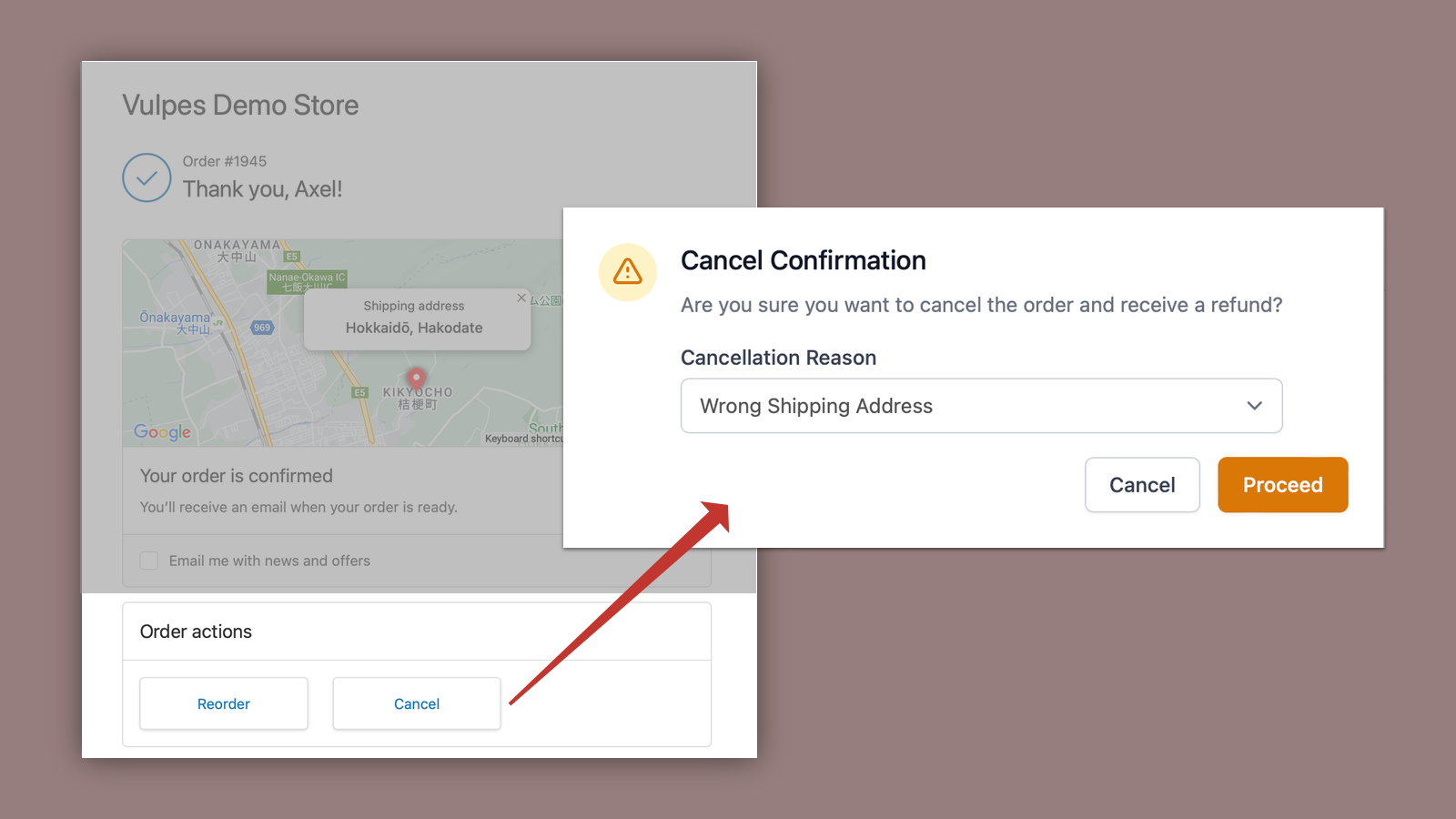
 Enable your customers to easily cancel and reorder purchases directly from their order status page, account dashboard, or confirmation email. This self-service order cancellation app reduces support workload while improving customer satisfaction. Customers can cancel orders with a single click within your set time limit and quickly reorder previous items without contacting support. Use the "cannot-cancel" tag to mark specific products or orders as non-cancellable. The app integrates seamlessly with your checkout and order status pages through app blocks, making order management simpler for both you and your customers. Prevent potential chargebacks by giving customers more control over their orders.
 -
#7. Let customers edit, cancel and reorder on their own for a better customer experience.

 Give your customers the freedom to edit, cancel, and reorder their purchases without contacting support. Orderify adds a self-service customer portal to your order status pages, confirmation emails, and account section. Customers can easily modify unfulfilled orders or place one-click reorders, while automatic refunds and inventory restocking handle the backend processes. The app works seamlessly with all Shopify payment gateways and third-party fulfillment services. Setup takes just 5 minutes, letting you customize rules like editing time limits and display options. When customers edit orders, Orderify cancels the original purchase and moves items to the cart for modifications, ensuring a smooth shopping experience while reducing support workload.
 -
#8. Self-service order editing: swap items, fix addresses, add post-purchase upsells. Fewer tickets.

 SelfServe lets customers edit their own orders directly from the order status page, cutting down support tickets and saving your team time. Shoppers can swap products, fix addresses with Google Maps validation, adjust quantities, apply discount codes post-purchase, and even cancel orders when needed. The app includes one-click post-purchase upsells on checkout and order status pages to increase your average order value. Live stores have added over $69k in upsell revenue by letting customers add items after they buy. You stay in control with edit windows, the ability to block downgrades, and cancellation approvals. Address validation stops failed deliveries before they happen. Every "Can I change my size?" or "Can I update my address?" email costs you time - SelfServe handles these requests automatically so customers get quick fixes and you reduce refunds and cancellations.
 -
#9. Allow customers make order edits themselves to change address, cancel orders, edit cart items, etc

 Give customers control over their orders with this practical order editing app. Customers can modify shipping addresses, change product variants, adjust cart items, and request cancellations directly from Thank You and Order Status pages. As a merchant, you decide which editing options to enable and set time limits for modifications. The app includes post-purchase upsell features on order pages and in emails to increase average order value. Compatible with all third-party logistics and warehouse management systems, Recheck integrates smoothly with Shopify Flow for advanced order management. Make post-purchase experiences better while maintaining full control over order modifications.
 -
#10. The app allows customer to update shipping address on their own, without need to contact support
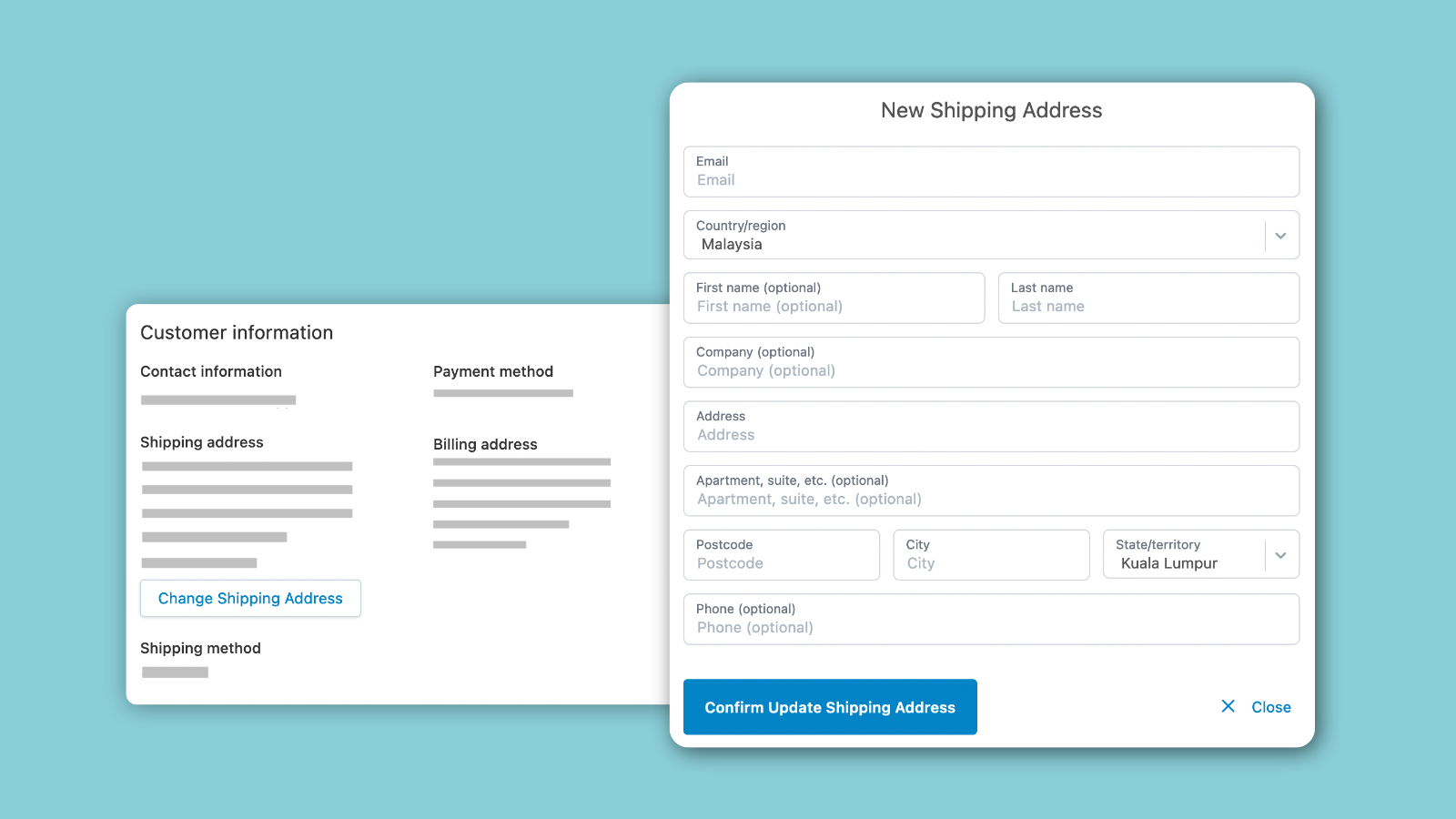
 Update shipping addresses quickly and easily with Yagi Address Edit Helper. This app lets customers modify their delivery address directly from their order status or account page, eliminating the need to contact support and wait for responses. Whether customers have moved or made a typing mistake, they can ensure their parcels arrive at the correct location. Store owners can set time limits for address changes, such as allowing updates only within 48 hours of purchase. For added control, you can restrict address changes for specific products or orders with certain tags. The app provides a simple solution for both customers and merchants to manage shipping address updates efficiently.