
 News
News
 Shopify SEO
 Shopify development
Best alternatives for Power Tools Suite Shopify app in 2027 [Updated]

Power Tools Suite
$15.99/month. Free trial available.
Boost your store with all the Power Tools apps in one! Save time and automate your store.
Compare with % app %| Name | Rate on Shopify | Price | Free trial | Key features |
|---|
-
#1. Help shoppers find what they mean with AI-powered search, smart filters, and instant results

 This smart product filter and search app helps customers find exactly what they're looking for with AI-powered search capabilities and instant filtering options. Shoppers can filter products by price, size, color, tag, vendor, brand, collection, and metafields with real-time results. The intelligent search feature understands synonyms and provides instant suggestions, working seamlessly with your existing search bar and theme filters. Set up custom filter menus for different collections and categories, display product variants individually, and gain insights through search behavior analytics. The app includes 9 types of product recommendations and comprehensive filtering options like sale percentage, reviews, and variant-specific filters - all designed to create a smooth shopping experience.
 -
#2. Create powerful mega menus for large catalogs, help shoppers find products faster-no coding required

 Globo Mega Menu helps you create stunning multi-level dropdown menus for your Shopify store without any coding. Perfect for large catalogs and B2B stores, this navigation builder lets you design flexible mega menus with product images, icons, collections, and pages using a simple drag-and-drop interface. Build professional menu bars with featured products, blog posts, search boxes, contact forms, and custom HTML blocks. Add eye-catching "HOT" and "NEW" badges to highlight menu items. Customize layouts with tabs, block links, and menu images that match your brand's theme and fonts. The app works seamlessly with all Shopify themes and is fully responsive and mobile-friendly. Create smart menus, filter menus, or food menus to improve store navigation and help shoppers find products faster. Easy to set up your main menu with multiple levels and flexible customization options for better user experience.
 -
#3. Build mega menus in minutes w/ drag-and-drop builder. Better navigation, faster product discovery.

 Create mega menus, tabs menus, and drop-down navigation with an easy drag-and-drop builder. This app helps customers find products faster through better menu organization. Build multi-level menus with unlimited items including products, collections (filter by tags), pages, and custom links. Add search bars, contact forms, Google Maps, or custom HTML blocks to your navigation. Customize every detail - fonts, colors, badges, icons, and layouts to match your store. Feature winning products with image banners and image swap effects. Support for multiple markets and themes means you can assign different menus to different locations. Track performance with menu click analytics. Fully responsive on mobile devices and works with any language. Perfect for stores looking to improve product discovery and navigation experience.
 -
#4. Modernize your search & filter. Better product discovery boosts sales and enhances customer loyalty.
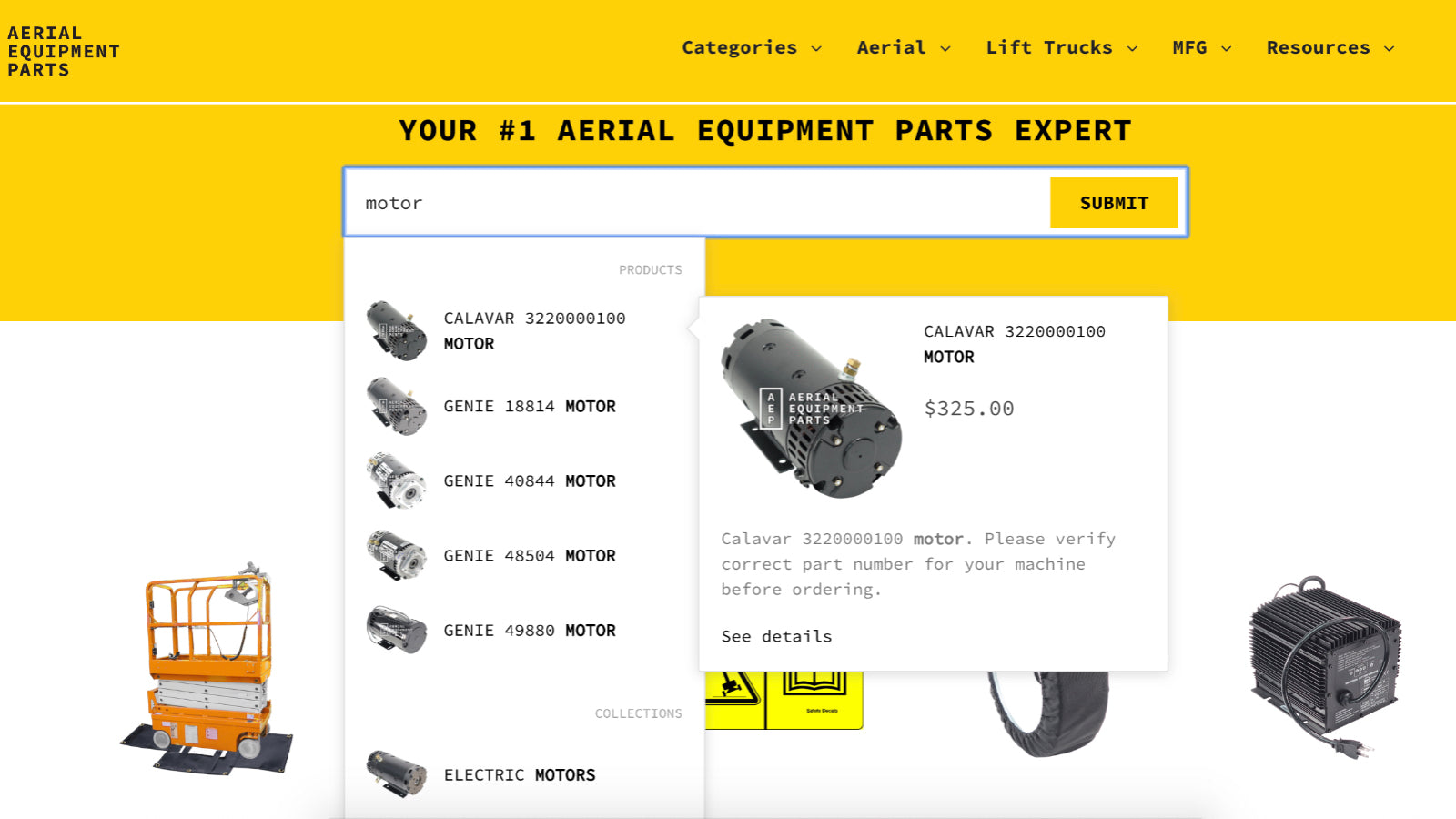
 XCloud Search & Product Filter helps you create a better shopping experience with smart search and filtering options that work seamlessly with your existing collection pages. Set up customizable filters for tags, price, brands, colors, sizes, and metafields - all without changing your theme or disrupting other apps. The instant search bar delivers fast, relevant results while letting you prioritize bestsellers and promote specific products. You can create different filter combinations for each collection, making it easier for customers to find exactly what they're looking for. Track search performance through built-in analytics to understand customer behavior and improve your store's navigation. Perfect for stores that want to improve product discovery while maintaining their current design and functionality.
 -
#5. Increase sales with AI Search, advanced filters, and smarter product discovery

 Help shoppers find exactly what they want faster with AI search built to increase conversions and sales. This app delivers instant, relevant search results even with typos, vague searches, or large product catalogs. Keep customers engaged with advanced filters by tag, metafield, and variant to improve product discovery. Grow your AOV with AI-powered bundles, personalized recommendations, and smart merchandising. Pin, boost, or reorder products to showcase top-performing items. Features multi-language and currency support synced across global marketplaces. Fast setup with no coding needed, easy customization, and seamless theme integration. Support team available every step of the way.
 -
#6. Help shoppers find the right product faster with an AI search bar and filters

 RS: AI Search Bar & Filter helps shoppers find products faster with smart search and filtering. Replace your tiny search icon with an always-visible AI search bar that handles typos, shows predictive instant search results, and understands what customers mean. Build custom product filters for price, brand, color, size, tags, and metafields. Use product merchandising tools to pin, boost, or hide items so bestsellers get spotlight. The app works with any theme without slowing page speed and scales to 1M+ products. Features include SKU search, collection filters, filter menu, and synonym management for better results.
 -
#7. Boost your online store sales with our predictive instant search and product filters

 This smart search app helps customers discover products in seconds with predictive instant search and advanced product filters. The search bar works out of the box across all store pages, showing relevant results instantly without any coding required. Features include personalized AI search, voice search, and unlimited custom filters by tags, collections, and prefixes. Customize the live search results page, product cards, and filter widgets with a sleek design that's easy to configure. Use merchandising tools and product recommendations to increase conversions and average order value. The app supports product labels, quick Add to cart, variants as separate products, and individual collection filters. Improve customer retention by making product discovery seamless. Responsive support team included.
 -
#8. Year Make Model Search for Auto Parts & Product fit. YMM search. Search by Model & Search by Make.

 Year Make Model EasySearch helps customers quickly find auto parts and accessories that fit their specific vehicle. The app includes a user-friendly filter search widget, product page fitment widget, and detailed fitment tables for cars, trucks, bikes, devices, and TVs. It comes with a pre-loaded automotive database, but you can easily add custom YMM (Year Make Model) records to match your inventory needs. The convenient My Garage feature saves vehicle selections across shopping sessions, making repeat purchases simpler. Customers can keep filtering results until they find exactly what they need, while merchants can link a single product to multiple YMM combinations. This practical search solution ensures customers find the right parts that fit their specific make and model every time.
 -
#9. Turn discovery into sales with powerful product filter & search. Custom for all store sizes.

 This app helps shoppers find the right products faster with custom product filters and instant search. Filter by collection, metafields, price, size, color, variants, tags, brand, and more. Create unlimited custom filter sets for each collection page, tailored to match your catalog and customer needs. The search bar delivers quick results by matching titles and criteria without requiring full words. Promote key products by boosting them to the top of collection pages and search results. Track performance with advanced analytics showing top filter values, most clicked items, and session data to optimize your store experience and spot profit opportunities. Easy setup and scales with stores of all sizes.
 -
#10. Revolutionize Product Search and Discovery with Doofinder.

 Doofinder is an AI-powered search and discovery platform designed to help online shoppers find products quickly and easily. The app uses artificial intelligence to understand customer intent, whether they're searching, browsing, or chatting with your store. The AI search runs on autopilot and improves daily, learning from customer behavior to deliver better results. The AI assistant acts as a conversational layer that answers questions, guides shoppers, and helps convert browsers into buyers. Key features include AI-driven product recommendations that increase average order value, category merchandising tools to display the right products first, and detailed stats that reveal revenue insights and search gaps. The platform is plug-and-play with no development work required, so you can see results from day one. Doofinder turns every customer interaction into a sales opportunity while showing you what shoppers want, what they can't find, and where your biggest growth opportunities are.