
 News
News
 Shopify SEO
 Shopify development
Best alternatives for OPTIS Product Options, Variant Shopify app in 2027 [Updated]

OPTIS Product Options, Variant
Free plan available. Free trial available.
Personalize products w/ infinite options, text, swatches, file uploads, price addon & live preview
Compare with % app %| Name | Rate on Shopify | Price | Free trial | Key features |
|---|
-
#1. Add unlimited options to any product and charge for the extras. Paid upgrades can lift order value.

 Globo removes Shopify's 2,048 variant limit and lets you add unlimited product options with custom pricing. Build option sets using 30+ field types including text input, file upload, color swatches, image variants, dropdowns, checkboxes, dates and dimensions. Apply these options to individual products or your entire catalogue. Add-on pricing runs on Shopify Functions, keeping discount codes and taxes accurate. Charge extra for options that cost more to fulfill. Conditional logic shows or hides choices based on earlier selections or variants, keeping forms clean and relevant. Shoppers can preview their personalization - like engraving, monograms or custom artwork - before buying. Every choice flows automatically into orders, packing slips and POS systems. Perfect for stores offering product customization, personalized items or configurable products that need more flexibility than standard Shopify variants allow.
 -
#2. Custom Product Options and Customizer with Text, File Upload, Price Add-ons, Product Personalizer

 Easify Custom Product Options lets you add product customization and personalization to your store with a live preview feature. Perfect for jewelry engraving, embroidery, POD, and gift wrap services. The product customizer includes custom text fields, file upload, image upload, and price add-ons to maximize sales on product pages. Create custom product options with conditional logic that shows or hides fields based on variants. Add custom fields like text boxes, date pickers, dropdowns, image swatches, checkboxes, and dimensions with a price calculator. The product personalizer displays customer uploads and custom text in real-time, helping increase conversions for customized products. Use product add-ons for upselling, option badges, and discounts. This product configurator works seamlessly with your Shopify variants to deliver complete product personalization and customization options that drive sales.
 -
#3. Customize swatches and boost revenue with built-in product bundles.

 This app lets you display product options with clickable color swatches and image swatches on product pages, collection pages, and your home page. Customize how variants appear to create a better shopping experience for customers. Group related products as variants to improve SEO and make product discovery easier. The app includes built-in product bundles to increase sales through upsells, B2B offers, and promotions. Hide out-of-stock variants automatically, show low-stock alerts, and support multiple languages. Works with all themes and filter apps. No coding required for setup.
 -
#4. Product Options built for complex products. Guide complex choices with clarity.

 Aris Product Options, Variants helps you build complex product configurations with over 30 flexible option types. Add conditional logic, custom pricing, file uploads, and live personalization to guide customers through detailed product choices. Reuse option sets across multiple products while managing shared SKU and inventory workflows efficiently. Custom choices stay synced from cart to order confirmation, appearing on emails and packing slips. The app connects option data to Draft Orders, POS, API, and your business workflows. You'll get 24/7 human support with hands-on help directly from the development team when you need it.
 -
#5. Reduce returns with customizable size charts, size guide & AI size recommender

 MP Size Chart & Size Guide helps reduce returns by solving sizing confusion that costs apparel sales. This app adds customizable size charts and size guides directly to your Shopify product pages for fashion, footwear, jewelry, and pet products. Choose from 30+ size chart templates for quick setup, or create custom size charts with images, videos, and tabs. Import size charts in bulk via CSV to save time on manual entry. Display options include floating, inline, dropdown, or positioned next to size selectors. The AI size recommender acts as a fit finder, guiding shoppers to their right size instantly. Features include 20+ languages, automatic unit conversion, and multiple size labels for global stores. Create a dedicated size guide page for easy customer reference. Migrating from another app? Free size chart migration is included to make switching simple.
 -
#6. Add Unlimited Custom Product Options with Live Preview. A Visual Personalizer to boost sales
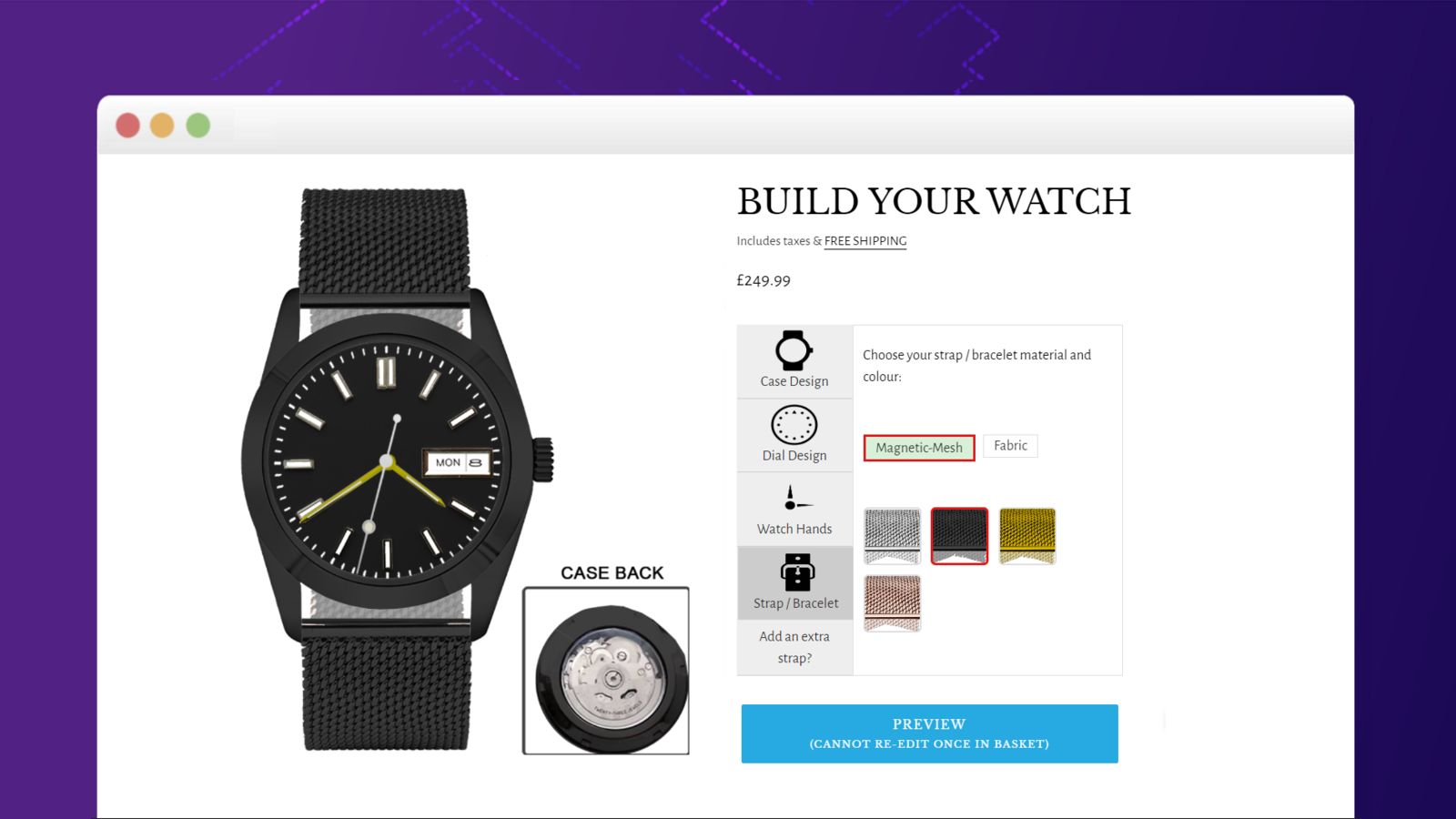
 Create custom products that your customers will love with Zepto Product Personalizer. This visual customization tool lets shoppers personalize items using images, color swatches, dropdown menus, text inputs, and file uploads - all with a real-time preview. Set up conditional logic to show relevant options based on customer choices, and adjust pricing automatically for different customizations. Perfect for stores offering personalized merchandise, custom builds, or made-to-order products. Give your customers the freedom to design exactly what they want while keeping your order process simple and organized. The live preview feature helps customers feel confident about their customized purchases, leading to higher satisfaction and fewer returns.
 -
#7. Customize the variant picker with visual swatches and show matching images for each variant.

 OPTIS replaces your theme's basic text variant picker with visual color swatches and image swatches that help customers make faster purchasing decisions. Display matching variant images for each selected option, creating a clean product gallery that reduces shopper confusion. Add variant badges to highlight sold-out items, new arrivals, sale products, and low-stock variants, or create custom badges for specific needs. Link related products together as product groups, each maintaining its own SEO-friendly URL for better search visibility. The app works on product pages and product cards throughout your store. Customize your variant picker separately for desktop and mobile devices. Bulk upload swatches, add variant descriptions, and require variant selection before checkout. Seamless Shopify theme integration ensures a polished look, with 24/7 chat support available when you need help.
 -
#8. Add custom product options, variant options with an AI store scan, swatches, file upload & add-ons.

 This app lets you add custom product options to your store without creating extra Shopify variants. Choose from text boxes, image and color swatches, dropdowns, date pickers, and file uploads to give customers more choices. AI scans your store and suggests option sets, or you can start from a template and customize them. Add price add-ons for services like engraving, gift wrap, or rush orders. Use conditional logic to show or hide options based on customer selections or variant choices. All product options appear on orders, emails, and invoices automatically. Display variant options as swatches for better visual appeal. You can even ask Shopify Sidekick questions about your product options setup directly in Shopify admin.
 -
#9. Set multiple variant images, display only correct images. Show color swatches with image variants

 This app helps you assign multiple images per variant and display only the correct variant images when customers select options. Perfect for stores with color variants and multiple product photos. Show clean variant image galleries with color swatches and image variant selectors. When shoppers pick a variant, they'll see only the relevant variant pictures - no confusion, no clutter. The variant picker displays color swatches and variant image swatches for easy selection. AI-powered auto assign makes setup quick. Works seamlessly with all themes and page builders without slowing down your store. Clear product image swatches and accurate variant photos help reduce return rates by showing customers exactly what they're buying. A solid alternative to variant image automator tools, this app keeps your variant image gallery organized and your customers confident in their choices.
 -
#10. Variants get multiple variant images. Clean variant image gallery, only relevant product images.

 SA Variant Image Automator helps shoppers see only the product images that match their selected variant, eliminating cluttered galleries. The app automatically assigns multiple variant images per option without manual tagging, so each color or style shows its own relevant image set. Unlike other variant image gallery apps that break themes, this one preserves your zoom functionality, layout, and page speed. It works with any theme, page builder, or custom build—no coding required. The variant image grouping keeps 3D views, videos, and zoom features intact. When customers select a variant, multiple images instantly appear to show that specific option. Perfect for stores migrating from Rubik, VSlide, Variant Image Wizard, or SC Product Options. Clean variant galleries help increase conversions by showing shoppers exactly what they're buying.