
 News
News
 Shopify SEO
 Shopify development
Best alternatives for EU Withdrawal Button Free Shopify app in 2026 [Updated]

EU Withdrawal Button Free
Free plan available. Free trial available.
Add the legally required EU withdrawal button and form. Customers withdraw without logging in.
Compare with % app %| Name | Rate on Shopify | Price | Free trial | Key features |
|---|
-
#1. Implement EU Directive 2023/2673: Withdrawal button without login requirement according to EU law


EU Withdrawal Button & Form
Free plan available | Free trial availableThis app helps your Shopify store comply with EU Directive 2023/2673 by adding a mandatory withdrawal button that becomes required in 2026. The EU withdrawal button stays permanently visible in your shop, allowing customers to initiate withdrawals directly without logging in - including guest buyers. The withdrawal form follows EU guidelines and automatically sends legally required confirmation emails after each request. You can integrate the button in minutes without any coding knowledge. All withdrawal requests appear in a clear dashboard with complete documentation for easy management. The app includes audit reporting that generates PDF files for your compliance documentation, ensuring you meet EU law requirements. The withdrawal form is fully customizable to match your store's needs while maintaining legal compliance with EU 2023/2673 regulations. -
#2. Boost security, add checkout rules and reduce fraud with AI (agentic) Terms and Conditions Check Box

 Looking to add terms and conditions to your Shopify store? This app makes it simple with a mandatory checkbox that requires customer consent before checkout. Protect your business from chargebacks and legal risks by ensuring customers agree to your policies, privacy policy, GDPR terms of service, or age verification requirements. The checkbox works seamlessly across your store - from product pages to contact forms, newsletter signups, and even PayPal & Apple Pay. You can show it for specific products or countries to meet legal disclaimer requirements. Every consent is logged with date and time stamps for your records. One-click installation that works with any theme, supports multiple languages for different markets, and helps you stay compliant whether it's holiday promotion terms or standard policies. Build trust and reduce fraud with clear customer agreement at checkout.
 -
#3. Ensure your store complies with accessibility laws, especially in Germany, the United States, EU,etc

 Avada Accessibility Widget ADA helps Shopify merchants comply with accessibility laws including WCAG 2.1 AA, ADA, AODA, EAA, and BFSG standards across the United States, EU, Germany, and beyond. This AI-powered accessibility widget offers 25+ adjustments to make your store accessible to all customers. Features include automated AI Scanner for accessibility checks, auto-generated image Alt Text for screen readers, and automatically updated audit statements. Customize the widget to match your brand without coding. With 24/7 support and a user-friendly interface, you can meet Web Content Accessibility Guidelines and avoid violations while improving customer experience for visitors with disabilities.
 -
#4. Provide the EU-required withdrawal button with a compliant two-step confirmation flow.

 Revoq adds the EU-required withdrawal button to your Shopify store with a compliant two-step confirmation flow. Built to meet EU Directive 2023/2673, this app provides a legally compliant withdrawal form that works for both guests and account holders — no customer login needed. Withdrawal requests are automatically matched against your Shopify orders and tracked with clear status updates in a structured dashboard. Each request triggers an automatic confirmation email, keeping customers informed throughout the process. The app includes GDPR-compliant data protection, hosted in the EU and built in Germany. Manage everything through an organized interface with deadline checks, order matching, tags, and exports to reduce manual work. Customize the form appearance directly in your Theme Editor to match your store design. Set up takes just minutes with no coding or custom development required. The multilingual withdrawal process supports international EU shops, making compliance straightforward across all your markets.
 -
#5. Blockify Age verification popup: Age check, Age verify, Terms & Conditions, Ensure Legal Compliance

 Blockify Age Verifier helps you maintain legal compliance and protect your Shopify store with customizable age verification popups. Set up 18+ or 21+ age restrictions using birth date verification to control who can access your store and checkout. No coding needed - create a secure age checker in just a few clicks. Choose from ready-made age popup templates or customize them to match your store branding. The age verification popup works perfectly across all screen resolutions and devices. Add a Terms and Conditions checkbox to ensure customers agree to your privacy policy and terms of service before entering. Perfect for stores selling age-restricted products, this age verify app lets you set minimum age requirements and restrict access based on date of birth. Keep your business compliant while providing a smooth customer experience with professional age check popups that integrate seamlessly with your store design.
 -
#6. Law Firm approved EU Withdrawal Button & Form. No coding, seamlessly integrated. 100% compliant.

 EU Withdrawal Button Pro delivers a fully compliant EU withdrawal solution for your Shopify store, recommended by IT-Recht Kanzlei München. This app integrates the legally required withdrawal button and form directly into your store, meeting EU Directive 2023/2673 requirements without any coding needed. Customers can complete the withdrawal process in just 2 simple steps, with no forced login required—guest customers included. They instantly receive a compliant confirmation email upon submission. The withdrawal button seamlessly integrates with your theme design and can be placed in your footer or displayed as a floating button. Customize the withdrawal form to match your store's branding, add optional withdrawal reasons for customer insights, and connect with Klaviyo, Slack, or MS Teams. Manage all withdrawal requests from one central dashboard. A law firm approved solution that ensures 100% compliance while keeping the process simple for both you and your customers.
 -
#7. Add an I agree to terms and conditions checkbox on the cart page/ drawer cart & record consent.
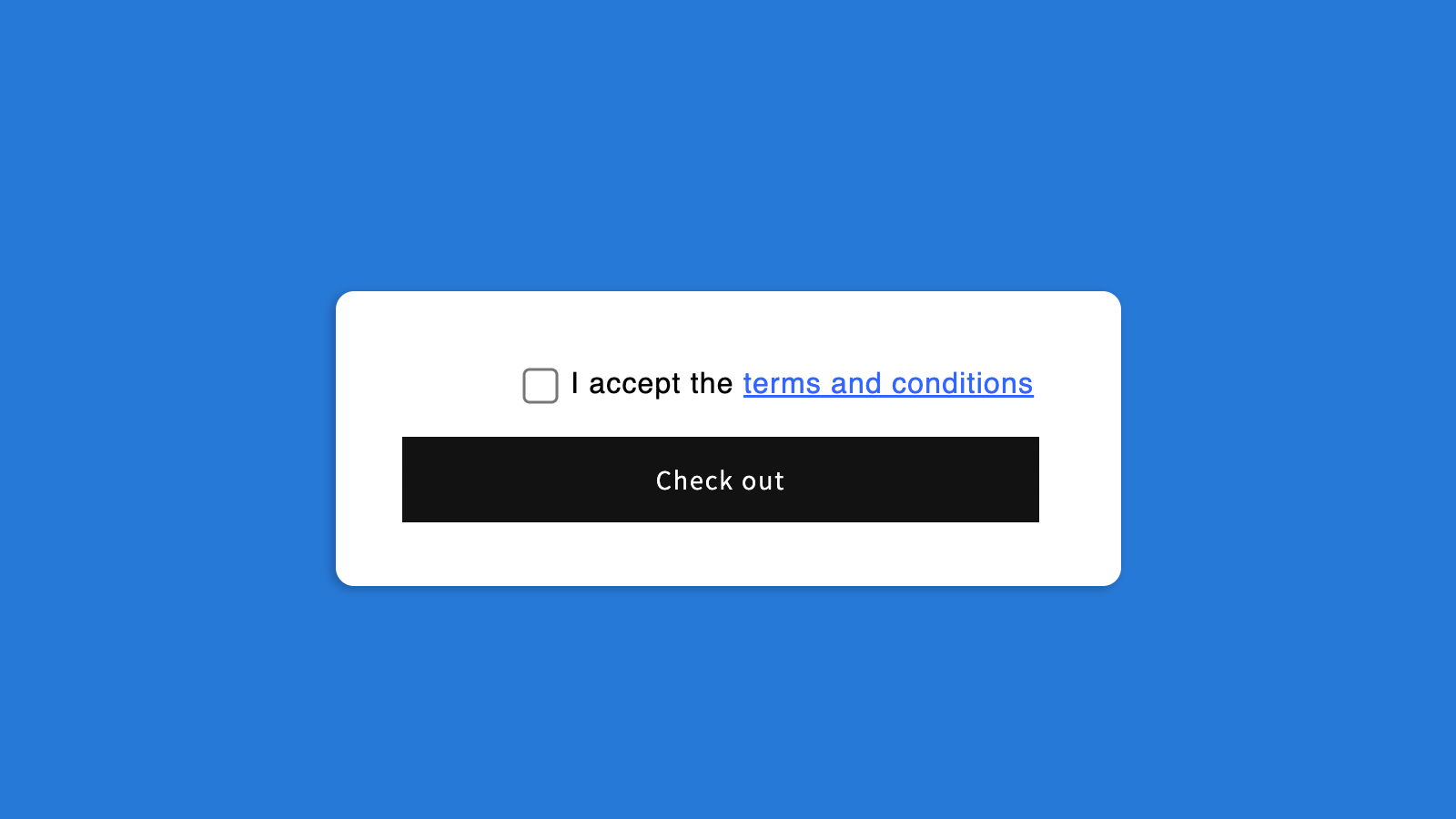
 Add a terms and conditions checkbox to your cart page or drawer cart with one click. This required checkbox ensures customers agree to your terms before checkout, helping you maintain compliance and record customer consent. The checkout checkbox works seamlessly with express checkout options including PayPal, Apple Pay, and Shop Pay. Use it for your refund policy, shipping policy, terms of service, privacy policy, age verification, or general conditions of sale. Every agreement is logged with date and time stamps for your records. Create a mandatory checkbox for cart terms, EULA, return policy, or any acknowledgment you need. Perfect for EU compliance including EU Directive 2023/2673. The terms box integrates directly into your checkout process, ensuring security and privacy while collecting necessary customer consent before purchase completion.
 -
#8. Create warnings for P65, Pre-order, Shipping delays, Product availability, Announcements, etc.
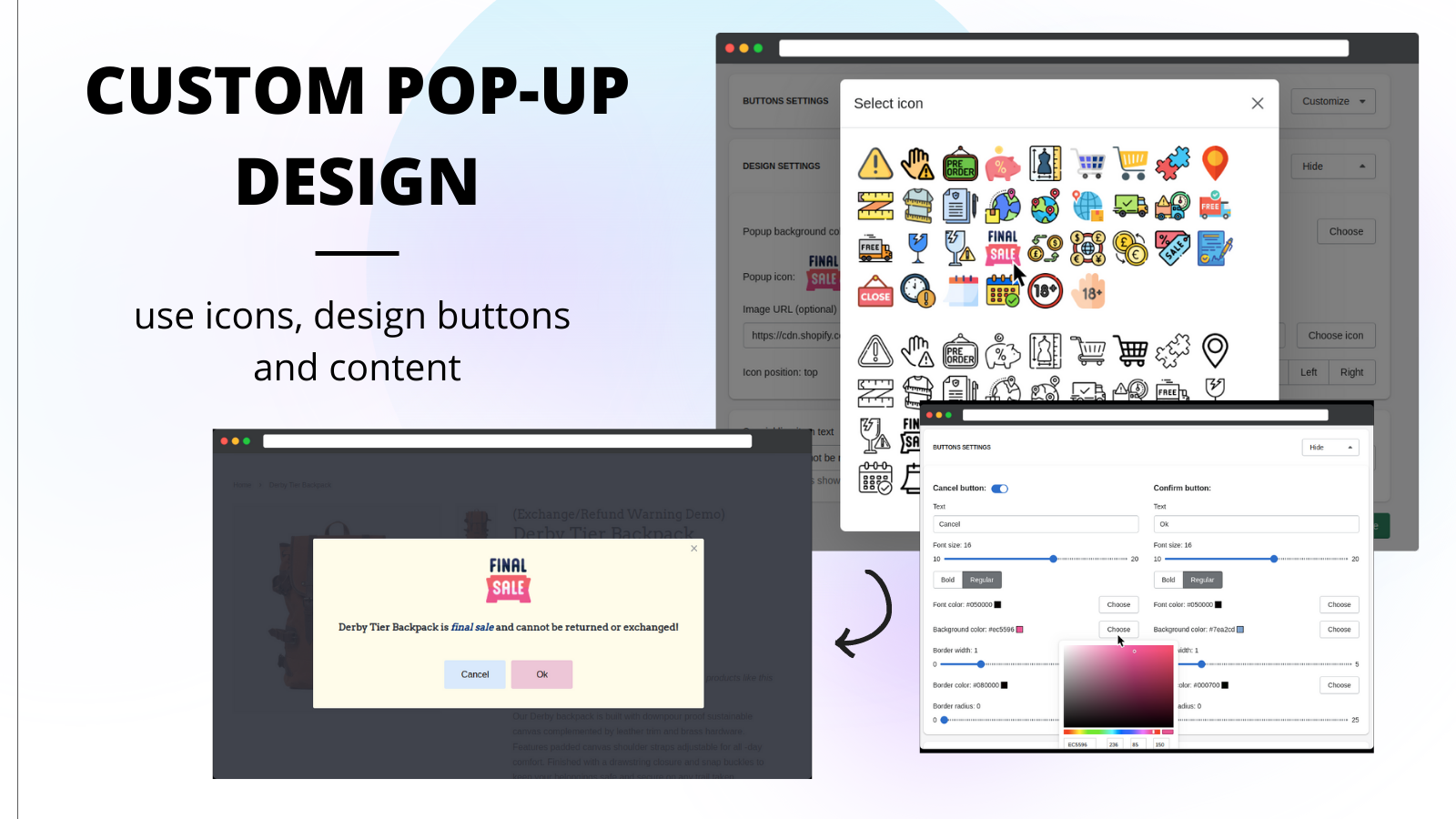
 Warnify Pro Warnings helps merchants display important customer notifications before checkout. This app creates warning popups for Proposition 65 compliance, pre-orders, shipping delays, product availability, and store announcements. The app shows customizable warnings when customers add products to cart or proceed to checkout, reducing misunderstandings and support tickets. Merchants can display warnings on product pages, collections, cart, or checkout pages. Target warnings to specific products, variants, or collections. Set conditions based on customer location (countries or provinces), time ranges, cart size, or language. Customize the design, buttons, icons, and content to match your store's branding. For critical situations, you can block the checkout process entirely for selected products. Perfect for international shipping delays, holiday lockdowns, pre-order items, or ensuring customers receive essential information before completing their purchase.
 -
#9. Easily add age verification to your store. Check age with age gate popup on entry or before checkout

 Add professional age verification to your online store without any coding or developer help. This easy-to-install app creates a responsive age gate that works smoothly across mobile, tablet, and desktop devices. Choose between multiple verification methods including yes/no buttons, birthday entry, or checkbox confirmation. Control where age checks appear using custom page rules - either when customers enter your site or before checkout. The app automatically tracks verification status in order details and integrates with your existing store design. Customize the experience with your own text, images, disclaimers, and even connect with Klaviyo or use the developer API for advanced features.
 -
#10. T&C checkbox on the cart page & checkout page, Support Age Verification & Country Blocker.

 This app lets you add a Terms & Conditions checkbox on your cart page and checkout page with one-click setup. Customers must accept your policies before completing their purchase, helping you comply with GDPR and other data privacy regulations. The app includes age verification to restrict underage access to your store and a country blocker to control orders from specific regions. You can display the terms checkbox for all countries or target specific locations, and even show it only on certain products. Additional features include automatic date and time stamps when customers agree to your terms, language translation support, and the option to set the checkbox as checked by default. The app works with additional checkout buttons and integrates with Login, Register, and Contact pages.