News
News
 Shopify SEO
 Shopify development
Best Inventory - Other Shopify apps in 2026 [Updated]
-
#1. Stop wasting hours editing your products, variants, or collections! Save time with a bulk edit app.
 Save time managing your Shopify store with this practical bulk edit app. Edit thousands of products, variants, and collections simultaneously instead of one by one. Update essential fields like descriptions, titles, tags, prices, and inventory levels in just a few clicks. The app lets you add, remove, and organize product variants efficiently. Plan your edits ahead with scheduling features, and automatically revert changes when needed. Made a mistake? No problem - simply undo any bulk edit task with the revert function. Perfect for store owners who want to skip hours of manual product updates while maintaining full control over their catalog changes.Install from Shopify App Store
-
#2. Print labels for products and orders. Powerful Liquid support, address labels, Stocky POs and more.
 Create professional barcode labels for your products and inventory with this comprehensive printing solution. Design custom labels using Liquid code to format product data, SKUs, and text exactly how you need them. Print address labels for orders and Stocky purchase orders to speed up fulfillment processes. The app works with popular label printers including Dymo, Zebra, Brother, and Rollo, plus standard inkjet and laser printers. Generate QR codes linking directly to product and order pages, and easily assign sequential barcodes to your items. Customize your templates with logos, fonts, and metafields while accessing all your product information and attributes. Whether you're printing product labels, shipping labels, or PO labels, this tool helps you manage inventory and orders more efficiently.Install from Shopify App Store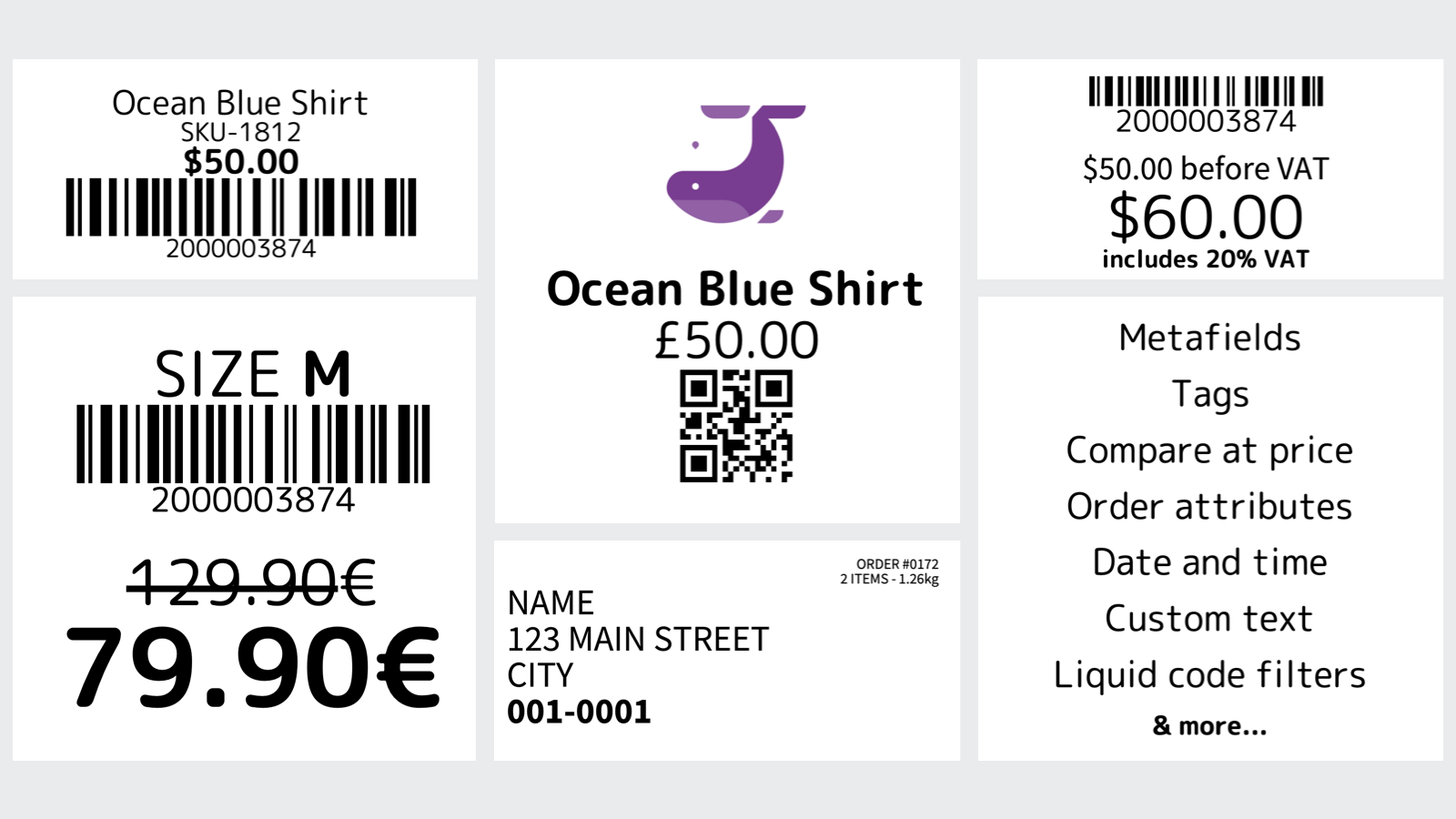
-
#3. Automatically sort and organize products in collections. Advanced sorting rules to suit every store.
 Organize your Shopify collections automatically with smart sorting rules based on sales, revenue, inventory levels, and product performance. This app helps you manage product placement across collections using customizable criteria that match your store's needs. Pin important items to the top, set scheduled product positions, and use tags to create dynamic merchandising displays. Track collection performance with detailed analytics while the app maintains your preferred product order 24/7. Create automatically updating collections that respond to sales trends and inventory changes, with reliable support available when you need it.Install from Shopify App Store
-
#4. Inventory management for makers & manufacturers. Create bills of materials & track profitability
 Take control of your materials inventory with this practical management solution designed for makers and manufacturers. Track raw materials and finished products in real-time, ensuring your Shopify inventory stays accurate and synchronized. Create detailed bills of materials, monitor production costs, and analyze product profitability with ease. The app helps prevent stockouts by automatically adjusting inventory levels and sending low stock alerts. Generate smart purchase orders based on your inventory thresholds, so you always order the right quantities at the right time. Access complete inventory movement history and cost tracking to make informed business decisions. Perfect for crafters, manufacturers, and businesses that transform raw materials into finished products. Keep your production flowing smoothly while maintaining accurate stock levels across your Shopify store.Install from Shopify App Store
-
#5. Enhanced catalog and order management features to support brand owners for their dropshipping
 Dscopify Dropship helps brand owners and suppliers manage their dropshipping operations with trading partners and online retailers. The app centralizes your product catalog, inventory, and pricing while automating key processes through API and EDI integrations. Manage your entire dropshipping workflow - from content updates to order fulfillment - in one place. Generate custom packing slips from 20+ templates and track shipping label costs automatically. Built on enterprise technology, Dscopify adapts to your specific business requirements, making it easier to coordinate with multiple retail partners. Whether you need to share product data, sync inventory, or process orders efficiently, this app provides the essential tools for successful dropshipping management.Install from Shopify App Store
-
#6. Delete duplicate products or duplicate variants. Remove duplicate SKUs, EANs with duplicate finder.
 Find and remove duplicate products from your Shopify store with this efficient duplicate finder app. The app scans your inventory to identify duplicate products and variants based on SKU, title, or barcode. Choose automatic bulk deletion rules to keep either the oldest or newest products, or manually select which duplicates to remove. The app displays all duplicate items clearly organized by SKU, title, or barcode, making it simple to clean up your product catalog. Track the progress of duplicate removal in real-time through detailed job logs. Whether you need to clean up a few duplicate variants or manage multiple duplicate products, this app helps maintain a tidy, organized store inventory.Install from Shopify App Store
-
#7. Never oversell again. Auto-sync inventory from any supplier in CSV, XML, API, FTP formats and more.
 Automate inventory sync from any supplier and never oversell again. Stockistly connects your store to dropshippers, warehouses, and wholesalers through CSV, XML, API, FTP, Google Sheets, and more feed formats. Set your sync schedule from hourly to daily and let it run automatically. The app handles price sync with custom markup rules—choose percentage or fixed amounts per supplier. Get low stock alerts and out-of-stock notifications by email so you're always informed. View detailed sync history to track all updates. Perfect for dropshipping stores, multi-warehouse operations, and wholesale businesses. Setup takes just 5 minutes with free live chat support and feed configuration help included.Install from Shopify App Store
-
#8. With OwlBoss - Product Assistant, there are no more mistakes with your products
 OwlBoss helps you find and fix product mistakes before they impact your business. This product assistant tool scans your inventory and identifies errors based on rules you set up. From missing information to pricing issues, OwlBoss displays all product mistakes on a single, easy-to-use dashboard. You can quickly filter through problematic listings and make corrections right away, preventing technical or human errors from affecting your store's performance. Keep your product information accurate and maintain customer trust with automated mistake detection that helps you manage your inventory more effectively.Install from Shopify App Store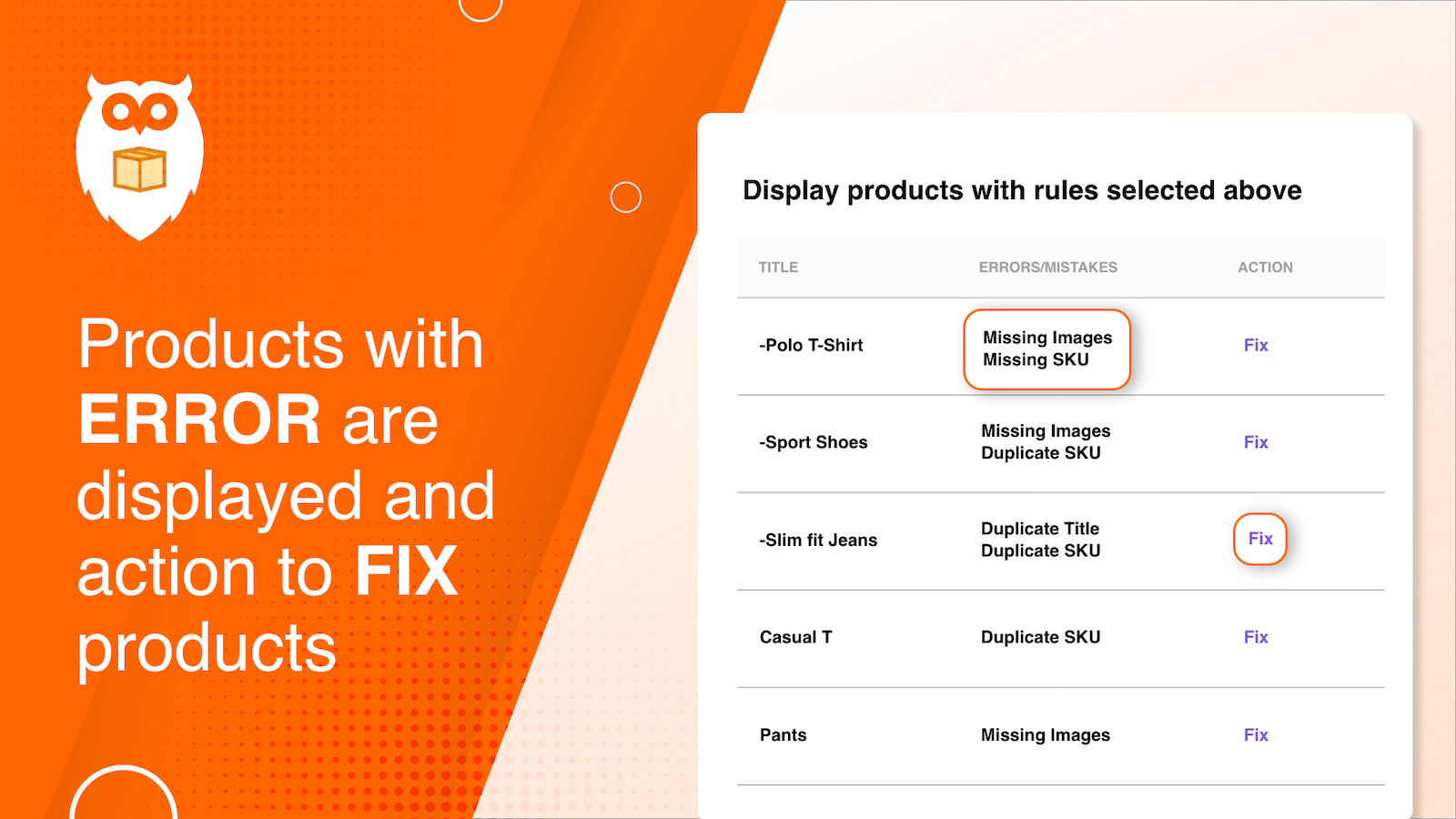
-
#9. Route orders to fulfill from location based on address, tags distance or stock levels, split & move
 Advanced Fulfillment Rules helps you manage order fulfillment across multiple locations intelligently. Create automated rules to route orders to the right warehouse based on shipping address, location tags, or distance. The app smartly handles stock distribution by splitting orders when products aren't available at a single location. Set up your fulfillment rules in minutes and let the system automatically direct orders to the correct warehouse. No more manual order editing or running separate stores - the app ensures products ship from the most suitable location based on your inventory levels and business rules. Perfect for businesses with multiple warehouses looking to optimize their order fulfillment process.Install from Shopify App Store
-
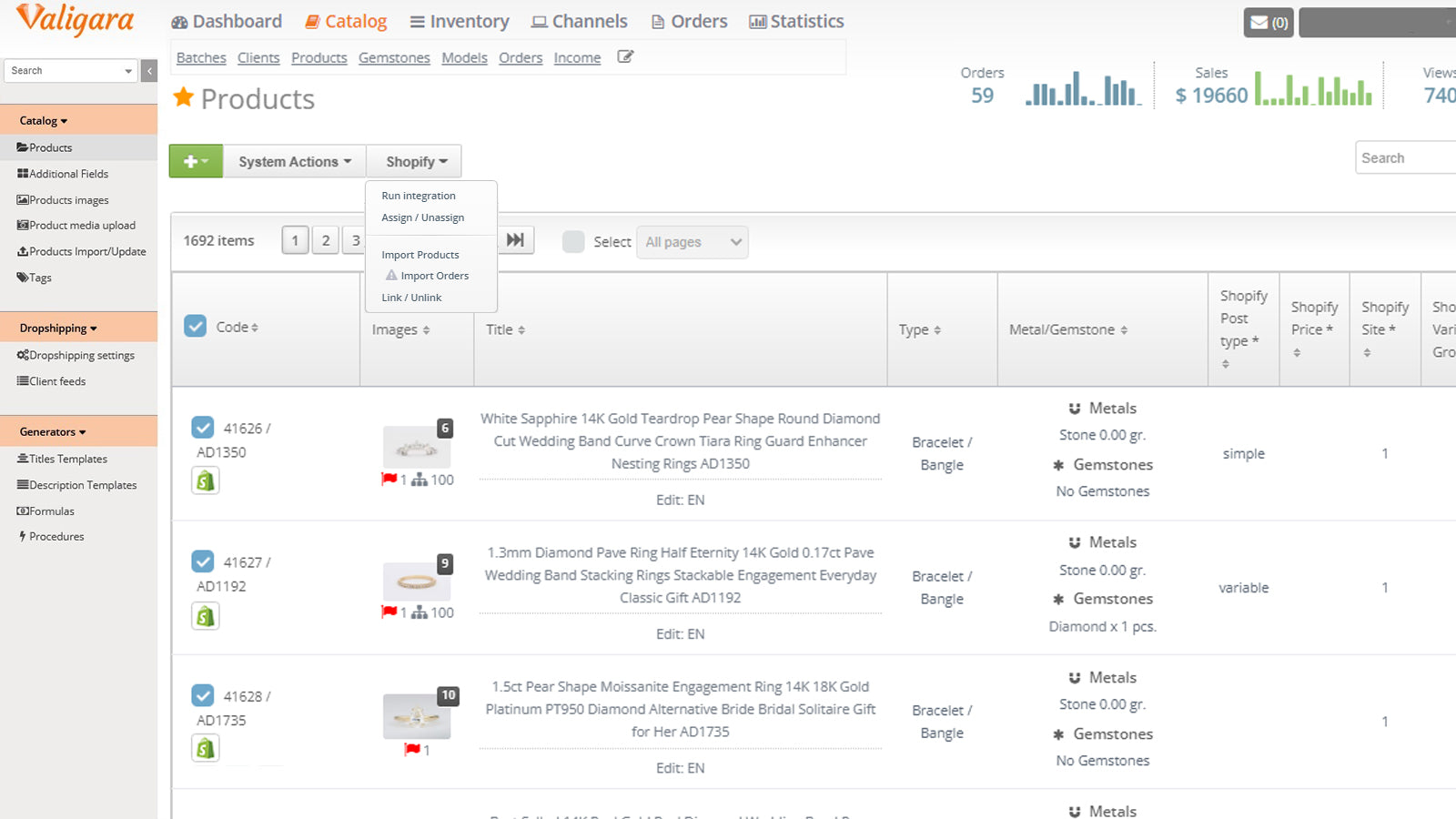
#10. Multi-channel, Inventory, Content & Orders Management platform for jewelry and diamonds.
 Manage your jewelry business seamlessly with Valigara's comprehensive management platform. This specialized software helps jewelers, diamond manufacturers, and retailers handle inventory across multiple warehouses, sync products across sales channels, and process orders efficiently. The platform includes jewelry-specific features for product information management, marketing automation, and purchase tracking. Connect with major jewelry e-commerce platforms while maintaining full control of your operations. Monitor performance, create social media content, and manage email campaigns using customizable templates. Built with deep jewelry industry expertise, Valigara lets you focus on growing your business while automating daily tasks.Install from Shopify App Store