News
News
 Shopify SEO
 Shopify development
Best Moving your store to Shopify Shopify apps in 2027 [Updated]


PickYourApp Review Team
6 min read
•
Aug 21, 2026
The best Shopify migration apps make moving your online store to Shopify smooth and reliable. These specialized tools handle the heavy lifting of transferring essential store data - from products and orders to customer information and SEO settings. Whether you need automated full-store migration or flexible bulk importing options, these apps ensure your business data moves accurately without disrupting daily operations. Save time and maintain data integrity when switching to Shopify with these trusted migration solutions.
| Name | Rate on Shopify | Price | Free trial | Key features |
|---|
-
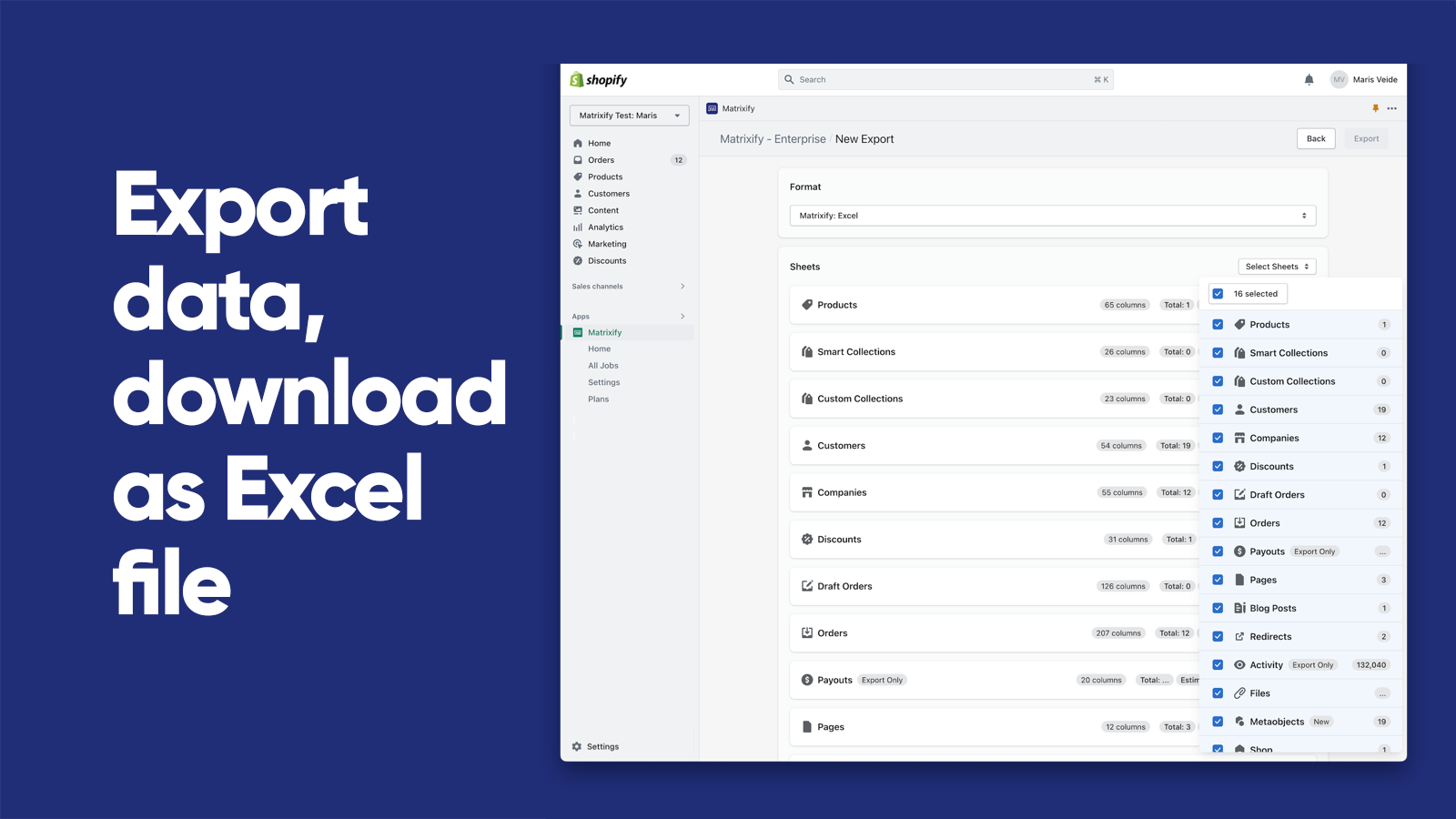
#1. Matrixify app helps you to manage store data - bulk import, export, update and migrate.
Matrixify helps you manage store data with bulk import, export, update and migration capabilities. Save time working with your Shopify data, whether you run a small store or large enterprise - this app handles files up to 20 GB. Import and export data using Excel, Google Sheets, CSV files, or automate through FTP servers. Migrate from WooCommerce, WordPress, Magento, BigCommerce, Lightspeed and other platforms. Backup and restore data, or copy data between stores. Schedule export and import jobs to auto-repeat, monitor them in real-time, and review job history. Works with Products, Collections, Customers, B2B Companies, Discounts, Draft Orders, Orders, Payouts, Pages, Blogs, Redirects, Activity, Files, Metaobjects, Metafields, and Navigation Menus. -
#2. Seamless Store Migration: Effortlessly Transfer Products, Orders, Customers & More

 Next-Cart Store Migration App makes it easy to migrate your entire store to Shopify with complete accuracy and automation. Transfer products, categories with full hierarchy, customers, orders, reviews, coupons, blogs, pages, SEO metadata, and URLs from WooCommerce, Shopware, and over 80 eCommerce platforms. The app preserves all entity relationships between products, orders, and customers while migrating multilingual data, custom fields, and metafields based on your specific requirements. Import data from CSV, XML, XLS files, or third-party extensions. Handle complex product catalogs with up to 2,048 variants and 3+ options. Complete your store migration through a simple 3-step workflow with zero downtime for your online business.
 -
#3. Products, customers, and orders migration from WooCommerce, Magento, Wix, BigCommerce and 80+ more

 Cart2Cart makes it easy to migrate your store to or from Shopify with minimal effort and no technical skills required. This automated migration tool supports over 80 platforms including WooCommerce, Magento, Wix, BigCommerce, and PrestaShop, plus CSV file imports. Quickly transfer products, customers, orders, categories, images, and other essential store data safely with zero downtime. The migration wizard handles everything automatically, eliminating manual data entry and reducing errors. You can test your migration before going live to ensure everything works perfectly. The app also migrates SEO data and URLs with 301 redirects to help preserve your search rankings. Your products, customers, and orders stay updated during the migration process. Choose self-service migration or have their expert team handle the entire replatforming for you.
 -
#4. Bulk import orders, or migrate orders from csv using our flexible data mapping system.
 Import orders in bulk to your Shopify store with EZ Importer's flexible data mapping system. The app lets you easily transfer orders and draft orders from CSV files, mapping your data columns to the right Shopify fields. Whether you're migrating from another Shopify store or importing custom-formatted data, our built-in templates make the process simple. Import complete order details including multiple products per order, customer information, transactions, taxes, and custom metafields. The app automatically adjusts your inventory levels during import based on your settings. Try it risk-free - you can delete imports and get your credits back, then reimport as needed until everything is perfect.