News
News
 Shopify SEO
 Shopify development
Best free Navigation and menus Shopify apps in 2027 [Updated]


| Name | Rate on Shopify | Price | Free trial | Key features |
|---|
-
#1. Add a scroll to top button in a minute.

 Navigate your long pages with ease using this simple scroll to top button. The button appears smoothly when visitors scroll down, letting them quickly return to the top of your page without frustrating scrolling. With advanced customization options, you can adjust the button's background color, size, position, and hover effects to match your website's design. Installation is quick and automatic - no coding needed. You can also control where the button appears by showing or hiding it on specific pages. This small but practical addition to your website helps create a better shopping experience for your customers.
 -
#2. Breadcrumb Star adds a clear trail across products, collections, pages etc for navigation
Breadcrumb Star adds clear navigation trails across your products, collections, and pages so customers always know where they are in your store. These multi-level breadcrumbs make it easy for shoppers to backtrack and browse without getting lost, reducing bounce rates and creating a smoother shopping experience. The SEO-friendly breadcrumb structure helps improve search visibility, indexing, and drives more organic traffic to your Shopify store. Fully customizable from the Shopify customizer, you can style the breadcrumbs to match your theme perfectly. Simple navigation that works for both your customers and search engines. -
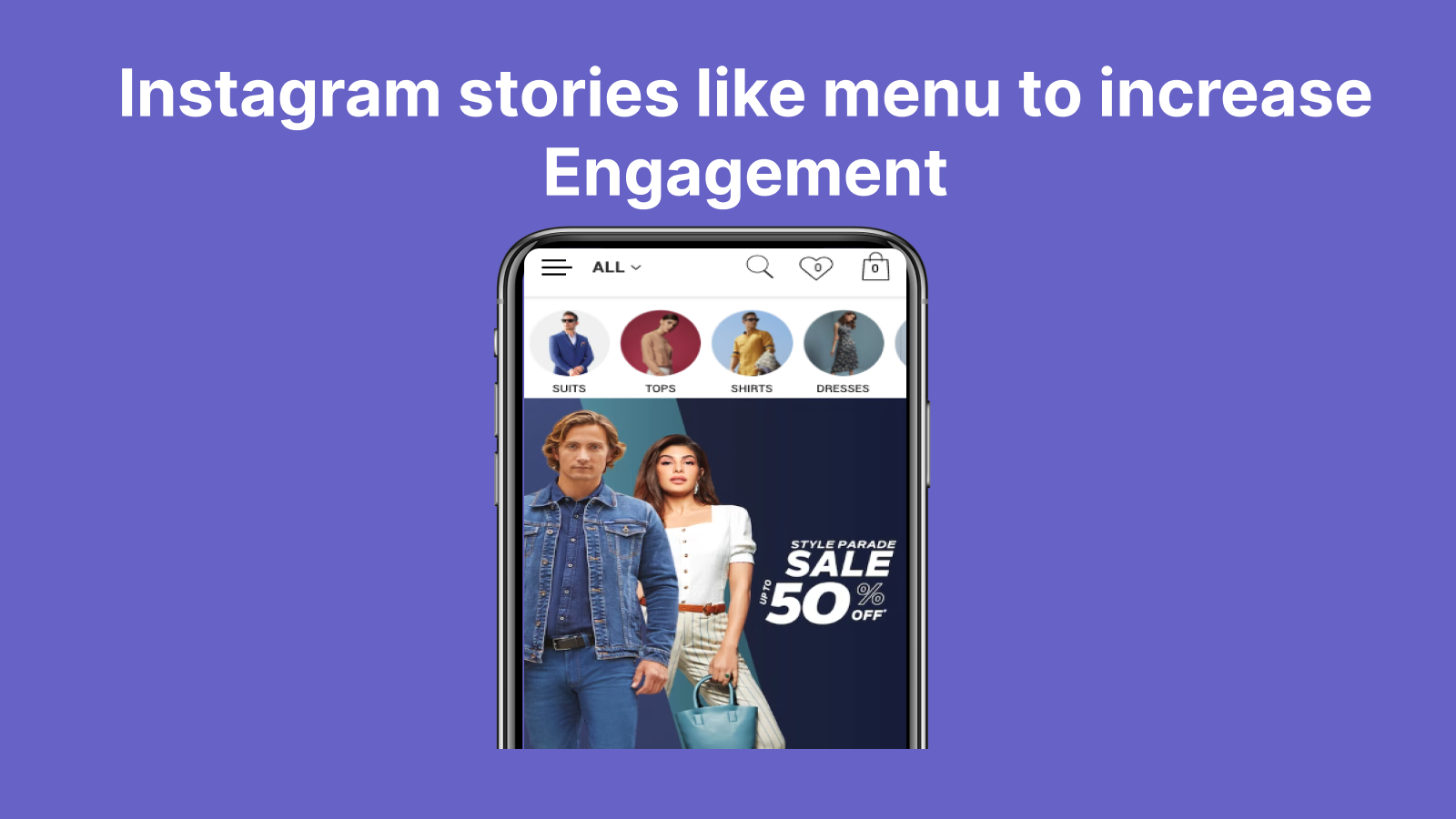
#3. Create Instagram like menu for your store and it helps in accessing different products in mobile
Create an Instagram-style Story menu for your mobile store that makes product navigation simple and engaging. This app displays circular menu icons, similar to Instagram Stories, allowing customers to quickly access your important product pages and catalogs. The Story menu appears only on mobile devices, keeping your desktop navigation clean and traditional. You can easily update and rearrange menu items with just a few clicks, giving you full control over your mobile navigation experience. Help your mobile customers find what they're looking for faster with this familiar, user-friendly menu format that mirrors the popular Instagram interface they already know and love. -
#4. Scroll button for store: scroll to top, bottom or %. 1-click install, no code. Advanced controls.

 Boostra Scroll To adds a floating scroll button to your Shopify store, making navigation easier for shoppers. The app lets customers scroll to top, back to top, scroll to bottom, or jump to any page percentage with one click. Installation takes just one click with no coding required. Customize your scroll button completely with full design control over icons, images, or SVG files. Adjust the shape, size, padding, position, colors, text, and hover effects. The app supports Shopify Files and includes optional recolor features for custom graphics. Smart rules let you control when the button appears based on scroll threshold, device type (desktop or mobile), specific page types, and custom pages. Built-in analytics track button clicks, hourly activity, device usage, and top pages so you can monitor how shoppers interact with your scroll button. Set up is fast and easy with advanced controls available when you need them.
 -
#5. Add automatic product and collection breadcrumbs to improve navigation and SEO.

 Collection Breadcrumbs adds automatic navigation paths to your product and collection pages, making it easier for customers to browse your store while improving SEO. The app generates breadcrumbs without requiring any theme file edits—just use the simple theme editor app blocks. It automatically determines the most relevant collection for each product and creates consistent breadcrumbs throughout your store. For products that appear in multiple collections, you can set a primary collection to control the navigation path. The app includes JSON-LD breadcrumb structured data to help search engines better understand your site structure. Customize the look to match your store by adjusting labels, separators, colors, and spacing. Setup takes just minutes, and everything works through Shopify's native app block system.
 -
#6. Add a smooth back-to-top button with per-device controls, colors, page targeting & RTL support.
Klickkk : Scroll To Top adds a back-to-top button that helps shoppers quickly navigate to the top of long collection pages, product pages, and blog posts. The smooth scroll button stays hidden until customers scroll down, keeping your store design clean and uncluttered. Customize button size, placement, and offset for each device with full RTL support. Control all colors including button background, hover states, icon, and borders to match your theme perfectly. Target specific pages where the scroll-to-top button appears—choose home page, product pages, collection pages, or other page types. All changes go live instantly after saving with no theme code edits needed. The one-tap scroll feature improves navigation on mobile and desktop, making it easier for shoppers to browse long product lists and return to the top without manual scrolling. -
#7. Connects products from and to Partly Apps
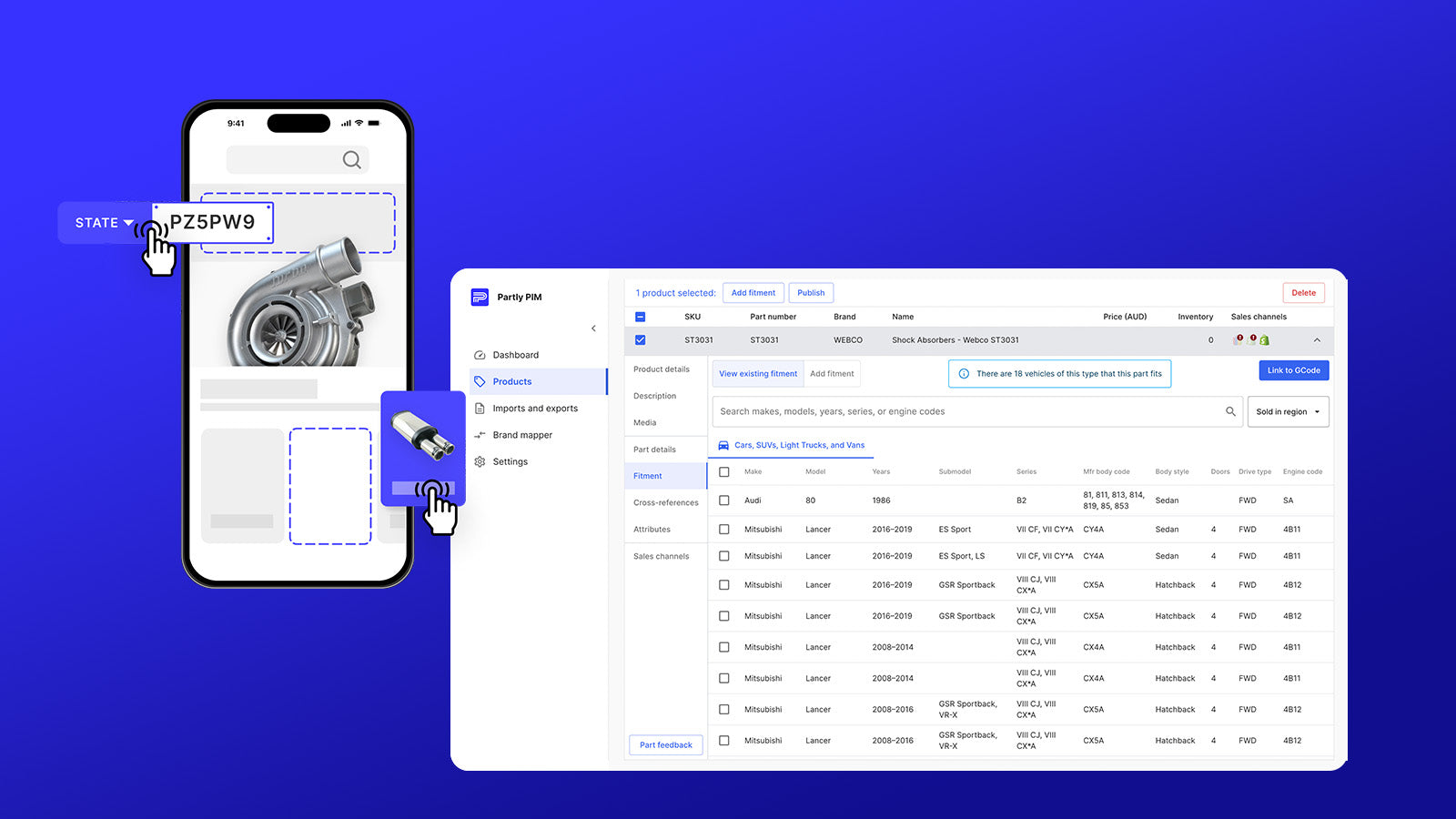
 The Partly Connector seamlessly integrates your Shopify store with Partly Apps, enabling two-way product synchronization. This integration keeps your product data accurate across both platforms by automatically syncing essential elements including product images, inventory levels, pricing, and descriptions. With built-in fitment management through Partly PIM and advanced vehicle search capabilities via Partly Storefront, the connector ensures your automotive parts catalog stays up-to-date and accessible. Whether you're managing inventory in Shopify or Partly, this connector maintains consistency and reduces manual updating work, making product management more efficient for automotive parts sellers.
 -
#8. Find more, sell more. Intelligent search, smart filters and analytics built for growing stores
SearchGro replaces Shopify's default search with intelligent search built for real customer behavior. The app handles typos, partial words, and voice input to help customers find products faster. Smart filters work on both search results and collection pages using tags, variants, metafields, and custom attributes. Search analytics reveal what customers are looking for, which queries return zero results, and where shoppers drop off, giving you actionable insights to improve conversions. The search widget covers products, collections, blogs, and pages all in one place. The app supports Shopify Markets with multi-currency and multi-language capabilities for international stores. Features include instant results, autocomplete, custom ranking, synonyms, automated rules, and theme customization with CSS options. White-glove setup assistance is available to get you started quickly. -
#9. Boost sales with customizable filters and accurate search — starting right from the search bar

 FindPro brings smart product filtering and precise search capabilities to your online store. Customers can filter products by price, size, color, metafields, tags, brands, and collections on both search results and collection pages. The fully customizable filters integrate smoothly with your store theme, maintaining a professional look while making product discovery easier for shoppers. With support for all languages and adjustable appearance settings to match your brand, FindPro delivers accurate search results that help convert browsers into buyers. Our dedicated support team ensures your store's search and filter system works perfectly from day one.