
 News
News
 Shopify SEO
 Shopify development
Best free Image editor Shopify apps in 2027 [Updated]


| Name | Rate on Shopify | Price | Free trial | Key features |
|---|
-
#1. SEO image optimizer. Optimize your images, site speed & generate an SEO report with action items.
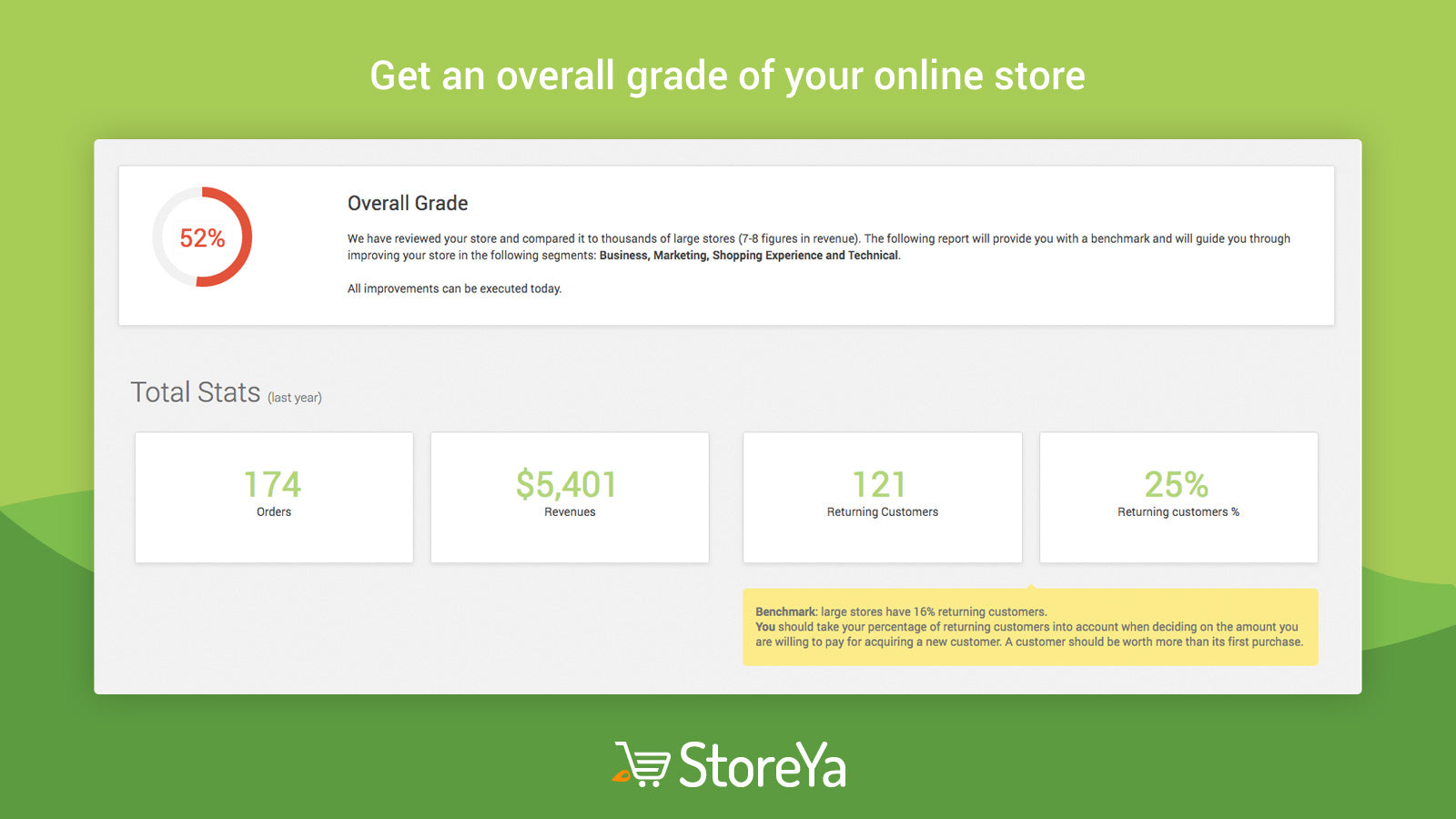
 This comprehensive SEO image optimization tool helps improve your store's performance through smart image compression and site speed enhancement. The app performs a detailed site audit across business, marketing, technical, and SEO segments, providing actionable recommendations to increase your traffic and visibility. Compare your store's metrics against successful online businesses to understand where you stand. With one-click image optimization and detailed SEO reports, you'll get clear guidance on improving your store's search performance. The app also creates an LLM.txt file to help your store get discovered on AI platforms like ChatGPT and Gemini.
 -
#2. Access your product images in Canva and seamlessly send designs between platforms.

 Connect your Shopify and Canva accounts to seamlessly manage product images across both platforms. Access your Shopify product catalog, collection images, and videos directly within Canva - no manual downloading or uploading needed. Simply drag and drop your product visuals into Canva to create professional marketing materials, social media posts, email campaigns, website banners, and sales collateral. The integration works both ways: import your Canva designs to Shopify product pages or edit Shopify images right in Canva. Perfect for merchants who want to create stunning visuals while keeping their product imagery organized and accessible. Works with Seguno Email Marketing to add Canva designs directly to your email campaigns.
 -
#3. Retouched.ai: Next-gen Image Background Removal and Resizing for Store and Brand owners

 Retouched.ai delivers professional AI-powered image editing with precise background removal for your Shopify store. This user-friendly tool helps store owners and brands process multiple images quickly while maintaining high quality. Download your edited photos in PSD, JPG, or PNG formats, and resize them specifically for Shopify requirements. The service includes free background removal, optional manual retouching, and dedicated customer support to help you create pixel-perfect product images. Your content remains secure and private throughout the editing process. Get started at no cost and improve your product photography with advanced AI technology.
 -
#4. Organize files in folder, remove unused media, image compression & AI alt text for speed & SEO
File manager and image optimizer helps you organize every image, video and PDF into folders so you can find and replace files in seconds. Compress images to shrink file size without losing visible quality and speed up your store. Generate SEO-friendly file names and fix alt text to improve search visibility. The app spots and removes unused media from products, pages and collections to free up storage space. Replace files without breaking existing links, then bulk upload, export, sort and filter folders by category for better file organization. -
#5. SEO image optimizer & image compressor to auto-compress product, collection & blog images
Nabu is an SEO image optimizer and image compressor designed to speed up your Shopify store. It auto-syncs and bulk-compresses images across products, collections, and blog posts without manual effort. The lossless image compression reduces file size while maintaining visual quality, offering three compression levels: low, medium, and high. Built-in image resizer and page speed optimizer help improve Core Web Vitals and SEO rankings. Convert images to WebP format for faster loading times. Supports PNG, JPEG, WebP, GIF, SVG, AVIF, HEIC, TIFF, and BMP formats. Smart image optimization delivers faster pages, better search visibility, and a smoother shopping experience. -
#6. AI fashion models for brands, dropshippers & catalog teams. Build complete on-model collections.
MODA uses AI to create on-model fashion photos and videos for your product catalog. Upload one flat-lay, mannequin, or supplier photo and get 10 multi-angle images with realistic AI fashion models—men, women, kids, plus-size, all ethnicities and body types. The app generates short product videos perfect for ads and social media. Choose studio, lifestyle, or custom backgrounds that match your brand references. Keep the same model consistent across your entire collection. Ideal for brands, dropshippers, and catalog teams building lookbooks, line sheets, and marketplace-ready content. Fashion-tuned AI delivers realistic skin tones, garment fit, and texture detail. No subscription required—pay as you go. -
#7. Photo retouching in seconds, plus expert human editors from 4 hours — all inside your store admin.
Clipily offers professional photo retouching right inside your Shopify admin. Get started with 30 free images — 20 processed by AI and 10 hand-retouched by expert editors. The AI service delivers results in about 20 seconds. Choose from 12 options including background removal, new backgrounds, shadows, ghost mannequin effects, model placement, studio shots, and upscaling for your product photos. For complex edits, send images to professional retouchers who deliver from 4 hours with unlimited revisions. Draw directly on images and add comments to request specific changes through the app. Publish edited photos back to your product listings with one click. Simple pay-per-image pricing with no monthly fees. -
#8. Generate AI product photos, on-model images, ad creatives, videos and publish them into your store
unify is an AI photo studio app for Shopify that generates product photos, on-model images, lifestyle visuals, and ad creatives directly from your catalog. Create AI product photography with preset scenes and photo concepts, or use virtual try-on features for flat lays, cutouts, and ghost mannequin shots. The app includes a product video generator for short video loops and tools to produce AI UGC content and static catalogue ads. Bulk image and video generation workflows help maintain consistent product visuals across your store without expensive photoshoots or additional tools. -
#9. Create AI product photos, models, backgrounds and SEO content with built-in AI or your Gemini key.
ShopStudio AI turns raw product photos into polished ecommerce listings ready to publish. Generate professional AI backgrounds and realistic AI model images with customizable styles and poses for your products. Create product titles, descriptions, and SEO-ready content using AI to optimize your store. Use the built-in AI generation or connect your own Gemini API key for supported features. Manage all product details including type, vendor, tags, and SKU in one workspace. Prepare products for publishing and export your data to Excel or CSV formats. -
#10. Turn products into stylish Looks with our AI-stylist and watch conversions rise.

 Furrl Fashion Stylist uses AI-powered styling to help fashion brands showcase products as complete outfits. The app creates stylish Looks for different occasions in minutes, eliminating the need for expensive photoshoots. Its smart catalog analysis decodes each product's mood and styling potential, while intelligent outfit curation instantly builds full outfits around your hero products. The AI curates items that work aesthetically together and generates ready-to-use images on diverse, life-like models. Products aren't just displayed—they're styled into aspirational Looks that drive confident purchases and higher engagement. Add AI-generated looks to your products with one click, no theme changes required. Perfect for modern fashion brands looking to help shoppers visualize complete outfits and increase conversions.


