News
News
 Shopify SEO
 Shopify development
Best free Selling online Shopify apps in 2027 [Updated]


| Name | Rate on Shopify | Price | Free trial | Key features |
|---|
-
#1. Reach millions of high-intent shoppers on Shop
Sell directly to millions of ready-to-buy shoppers on Shop, Shopify's exclusive marketplace for merchants. Shop lets you showcase your brand with custom headers, videos, and collections - just like your online store. Customers can buy products with 1-tap checkout using Shop Pay, leading to higher conversion rates from pre-verified shoppers. Drive more sales with automatic push notifications that reduce cart abandonment. Choose whether customers check out within Shop or on your website. The best part? Zero marketplace fees when selling through Shop, making it a cost-effective way to reach new customers and grow your business. -
#2. Access your product images in Canva and seamlessly send designs between platforms.

 Connect your Shopify and Canva accounts to seamlessly manage product images across both platforms. Access your Shopify product catalog, collection images, and videos directly within Canva - no manual downloading or uploading needed. Simply drag and drop your product visuals into Canva to create professional marketing materials, social media posts, email campaigns, website banners, and sales collateral. The integration works both ways: import your Canva designs to Shopify product pages or edit Shopify images right in Canva. Perfect for merchants who want to create stunning visuals while keeping their product imagery organized and accessible. Works with Seguno Email Marketing to add Canva designs directly to your email campaigns.
 -
#3. End-to-end sync of products, inventory, and orders with TikTok Shop in real time to sell & scale now
EcomSend TikTok Shop Connector syncs your Shopify products, inventory, prices, and orders with TikTok Shop in real time. Quickly list products to TikTok Shop using bulk edit tools and one-click batch syncing. The app features AI-driven category recommendations and intelligent attribute mapping to reduce errors and speed up the process. Set up multi-category templates once for automatic syncing without manual work. Connect and manage multiple TikTok Shops from one dashboard. Orders and fulfillment sync automatically to keep everything up-to-date and improve efficiency. Scale your brand on TikTok with auto-updates and simplified workflows. Need assistance? Reach the support team 24/7 via live chat or email. -
#4. Boost sales with Instafeed, TikTok Feeds, Shoppable Videos, Shoppable Reels,Instagram gallery, UGC

 MG Instagram Feed TikTok Feed seamlessly syncs your Instagram feeds, Instagram reels, and TikTok feeds to create a visually stunning social media showcase on your store. Display shoppable Instagram gallery and shoppable videos that let customers browse and order directly from your instafeed widgets. This integration harnesses social proof to build trust and drive sales. Set up customizable widgets that match your store's aesthetic, attach product tags to create shoppable social media posts, and track performance with in-depth analytics. Turn your store into a dynamic shopping hub with shoppable reels and UGC content that captivates shoppers and increases engagement.
 -
#5. Sync products, inventory, orders, fulfillment & returns across multiple TikTok Shops with Ecomzier

 EZ TikTok Shop Connector integrates your Shopify store with TikTok Shop for seamless e-commerce management. Sync products, inventory, orders, fulfillment, and returns in real-time across multiple TikTok Shops. The app automatically updates product details, images, SKUs, barcodes, prices, categories, and variants to eliminate order cancellations and reduce operational hassle. Features include dual sync between Shopify and TikTok Shop, AI-powered category matching for auto mapping, multi-currency and language support for global selling, and an advanced Power Editor for managing TikTok listings directly in the app.
 -
#6. Streamline & automate all processes with any retailer, marketplace, and social commerce channels
Cymbio's marketplace and dropship automation platform connects brands directly with retailers, marketplaces, and social commerce channels. The platform automates essential operations including product data management, inventory tracking, order processing, and billing workflows. Trusted by leading brands like New Balance, Balmain, and Lacoste, Cymbio enables seamless integration with major retail partners such as Farfetch, Nordstrom, Macy's, and Saks. The system handles multi-language product publishing, real-time inventory updates, and retailer-specific pricing in various currencies. Through automated data setup and taxonomy management, brands can efficiently maintain relationships with thousands of sales channels while meeting each retailer's unique specifications. -
#7. Generate and auto-sync Google Shopping feeds. Customize product data to improve approval and ads.

 MP Google Shopping Feed helps Shopify merchants generate and auto-sync product feeds for Google Shopping and Google Merchant Center. Create, manage, and optimize your feeds to improve approval rates and ad performance. Customize product attributes, bulk edit data, and track approval status to fix errors directly. The app lets you overwrite Shopify data when needed and auto-syncs tax and shipping details to save time. Filter products by status to resolve Google issues faster. Edit attributes, variants, and categories accurately, or manage multiple feeds from one dashboard. Download, enable, or delete feeds as needed. Bulk operations make it easy to edit product data at scale, helping you maximize campaign ROI and get products approved quickly.
 -
#8. Create a Product Feed Catalog & sync it to Facebook Ads, Meta Ads & Instagram Ads
This app builds and manages your Facebook Feed and Instagram Feed directly in Meta Business Manager. It automatically syncs your Shopify product catalog—including titles, descriptions, images, and inventory—to keep your Facebook catalog and Instagram catalog current in real time. Perfect for Facebook Shopping, Instagram Shopping, and Meta Ads campaigns. Control which products appear in your product feed using opt-in and opt-out filters by collection or product type. The app identifies and fixes feed issues to keep your Facebook ads and Instagram ads running smoothly. AI optimization helps improve performance across Meta Ads and Facebook Marketplace. Shopify Product Taxonomy support ensures accurate product categorization. No manual updates needed—your Facebook Product Feed and Instagram Product Feed stay perfectly synced with your store. -
#9. Furrl is a platform designed to help users discover and explore new-age, unique brands.
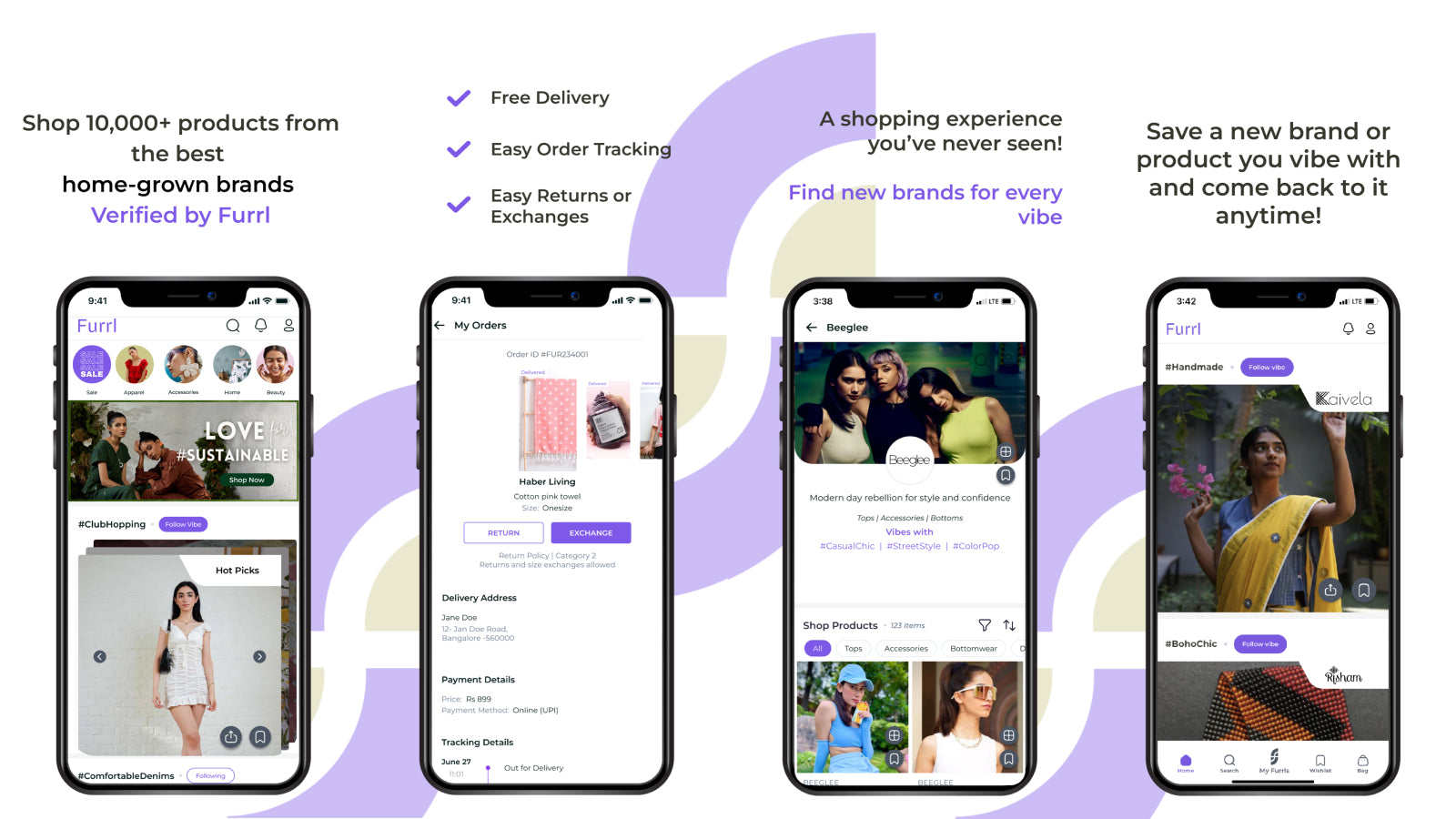
 Discover and sell through Furrl, a platform dedicated to new-age D2C brands looking to expand their reach. Our brand-first, story-led approach helps you connect with modern shoppers who value unique products. With quick 30-minute onboarding and one-click API integration, you can start selling without managing inventory. Download packaging slips and invoices instantly, making order management simple. Join Furrl to showcase your products to customers actively seeking distinctive brands. No hassle, just seamless integration and new sales opportunities for your business.
 -
#10. Effortlessly import products from Ebay. Save time and expand your product catalog seamlessly.

 Import products from eBay to Shopify quickly and easily with just a product URL. This eBay import tool brings over essential product details including titles, images, prices, and variations like size and color. The app automatically handles currency conversion to your store's local currency with daily updates. Set default stock quantities and locations to manage your inventory more effectively. Please note: You must have proper rights to import and sell products. Copying or reselling copyrighted content without authorization is not permitted. As a merchant, you are responsible for order management since fulfillment is not automated. Works with all eBay domains to help you expand your product catalog.