
 News
News
 Shopify SEO
 Shopify development
Best alternatives for Sort'd Collection Sort & Merch Shopify app in 2027 [Updated]

Sort'd Collection Sort & Merch
Free plan available. Free trial available.
Collection Merchandising like a Boss. Sort Collections, Drag/Drop, Automate, Analyze, A/B Test, More
Compare with % app %| Name | Rate on Shopify | Price | Free trial | Key features |
|---|
-
#1. Automate merchandising decisions on collection pages to increase revenue and reduce manual work

ST: Product & Collection Sort
Free plan available | Free trial availableThis intelligent collection merchandising app helps you organize and sort your Shopify collections automatically using data-driven insights. Create smart sorting rules based on key metrics like revenue, profit, product views, add-to-cart rates, and inventory levels. The visual drag-and-drop manager lets you pin featured items at the top while automatically handling sold-out products. Set up dynamic collections sorted by multiple factors including new arrivals, trending items, specific sizes, sale products, and custom metafields. The app analyzes your store's order history and GA4 data to optimize product placement, reducing manual work while improving collection performance. Advanced features include product demotion, shuffle sorting, and multi-segment organization for better merchandising results. -
#2. AI collection sort, collection page merchandising & personalisation for all-in-one product discovery

 KX AI Collection Sort is a no-code merchandising platform that helps you sort and organize products using AI-powered collection sorting. The app uses over 100 data parameters including revenue, conversion rates, margin, inventory levels, size availability, returns, and customer reviews to automatically arrange your products while maintaining your brand's visual identity. Sort collections with manual control through drag-and-drop, product pinning, and grouping features. Create segmented sorting strategies that balance new arrivals with best sellers by type, color, and other attributes. The platform offers 1:1 personalization for product recommendations, collections, and email campaigns. Run A/B testing to compare different merchandising approaches in real time. Markets integration allows you to sort each collection based on local data and inventory for different regions. Quick installation with no heavy implementation required.
 -
#3. Split variants or show variants on collection page & variant swatches collection page. Boost sales!

 Stamp displays product variants on collection and search pages to help shoppers find exactly what they need. Show variants as separate products or use variant swatches with a picker under each product. Every color and size appears on the collection page, making it easy for customers to browse split variants. Sort collections at the variant level to feature best sellers at the top. The app includes smart sorting options to push out-of-stock items down and highlight new arrivals. Add ready-made sections for featured collections, best sellers, and promo cards for your campaigns. Filter variants manually or let the app sort by sales performance. Infinite scroll keeps shoppers engaged. Compatible with any theme.
 -
#4. Hide or push down out-of-stock products, send back-in-stock alerts, and get low-stock alerts.

 StockIQ helps you manage out-of-stock products automatically. Hide or push down out-of-stock items in your collections to keep your store focused on available inventory. Set custom out-of-stock rules based on stock thresholds, unavailable variants, or product options. Add a Notify Me button so customers can request back-in-stock alerts. Send these alerts immediately, on schedule, or manually. Map Shopify Markets to inventory locations for market-specific notifications. Get low-stock alerts via email or in-app to plan restocking. Export stock reports at the collection level and track waitlist demand by product. Keep collections fresh and sales-ready while staying on top of inventory management.
 -
#5. Variator shows variants as separate products on collection pages to boost store visibility & sales.

 Display product variants as separate products on collection pages to help customers find and buy the right variant faster. Split variants by color, size, material, style, or any custom option to increase store visibility and sales. The app lets you organize variants across your store with drag-and-drop sorting and rule-based collection management. Schedule variant visibility based on availability, apply custom filtering logic, and manage multi-option variant splitting with ease. Show variants as products on your homepage, search results, or any collection page. Add "Add to Cart" buttons directly on variants for quicker checkout, hide sold-out options, and enable infinite scroll display. Supports SEO-friendly URL settings to improve your store's search performance.
 -
#6. Sort every collection by any metric and 30+ conditions – pin, schedule, auto-tag, report.

 Bestsellers reSort handles collection sorting for Shopify stores with large catalogs and complex needs. Sort every collection by sales, revenue, inventory, margin, product views, discount, price, or publish date. Refine sorting with 30+ conditions using tags, vendor, product type, price, or age – stack them by priority per collection or globally. Pin products to fixed positions manually or schedule pins for launches and sales events. Automatically push low-stock and sold-out items down the list, promote new arrivals, and hide out-of-stock products. Weekly reports show exactly what each sorting rule changed across your collections. Works for catalogs of any size with 24/7 support included.
 -
#7. Push down & hide sold out products and variants. Increase sales by optimizing collection sort.
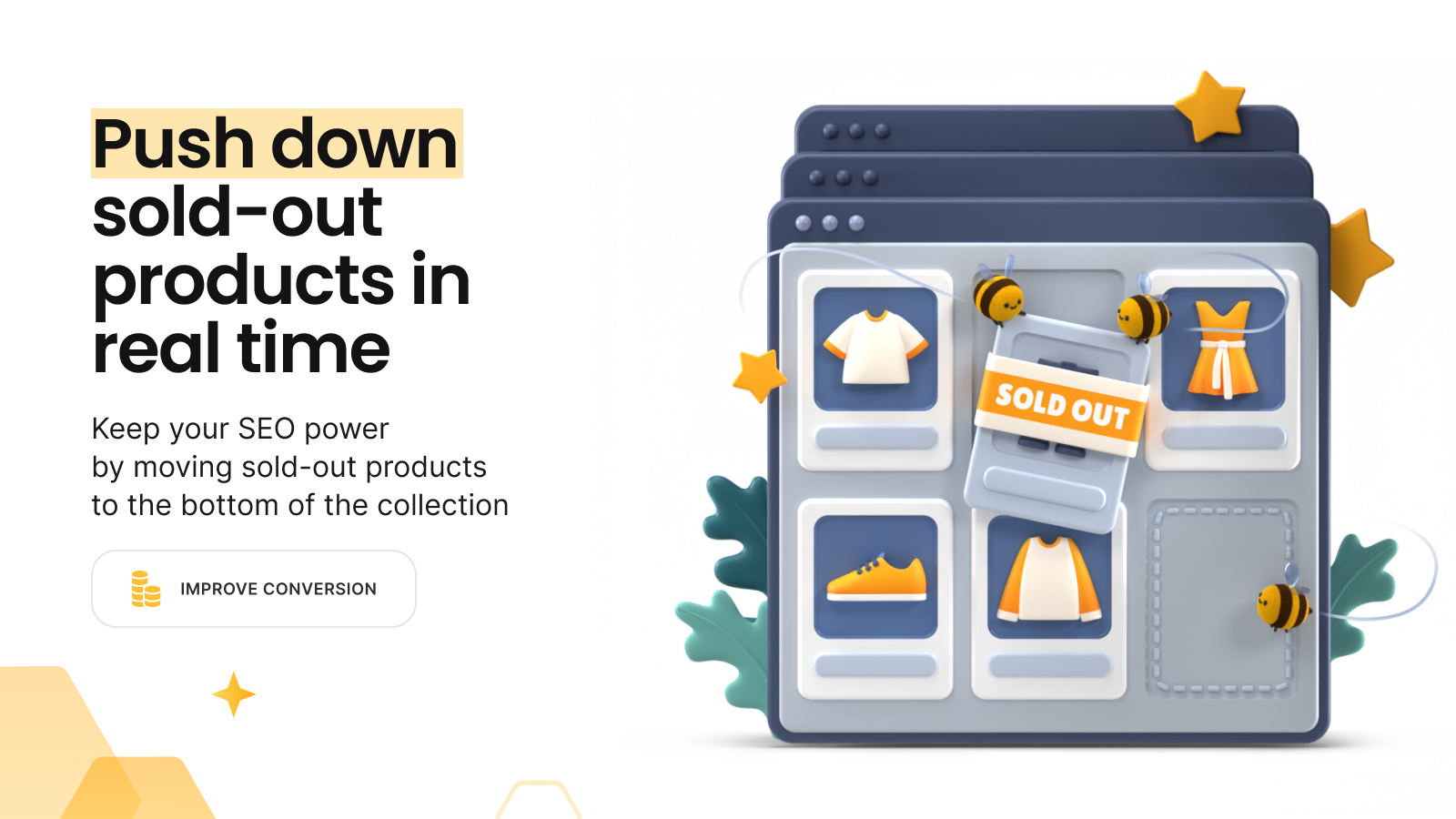
 This app helps you manage out of stock products while following good SEO practices. It automatically pushes sold out products to the bottom of your collections and restores their original position when items are back in stock. You can hide sold out variants or entire products either instantly or after a set number of days. The app lets you sort in-stock products by best selling, price, new to old, or manually to optimize your collection pages. Set products as Unlisted in your Online Store to keep product pages accessible through direct links while removing them from your storefront. You can also redirect hidden products and automatically unhide them when inventory is replenished, helping you increase sales by keeping your collections focused on available items.
 -
#8. Boost your store with all the Power Tools apps in one! Save time and automate your store.
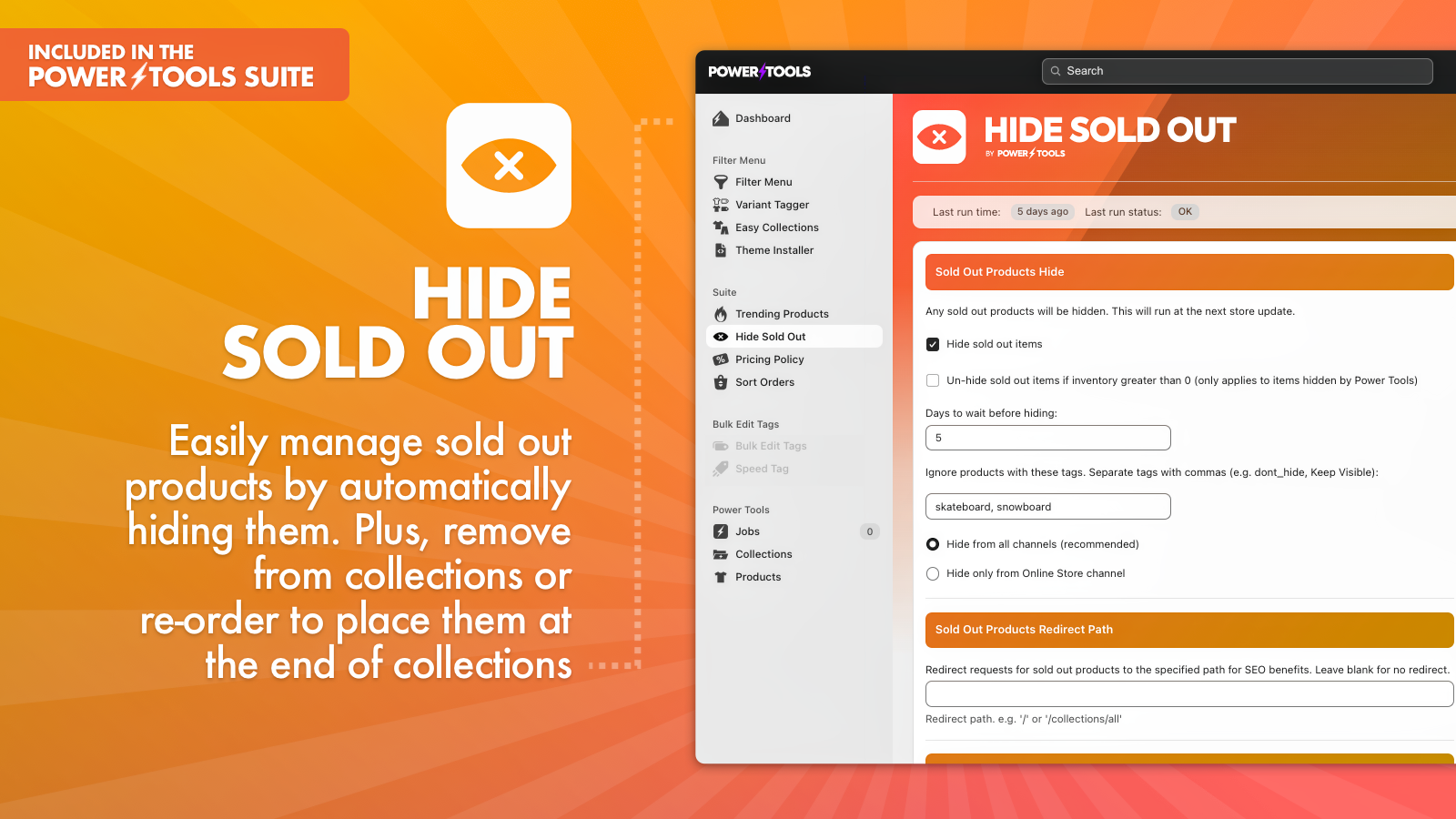
 Get everything you need to optimize your Shopify store with Power Tools Suite, the comprehensive multi-app bundle. From hiding sold-out products to displaying trending items first, this suite helps you manage your store more efficiently. Create advanced filter menus, implement pricing policies for sales, and automate routine tasks. Join numerous successful stores that have improved their operations and increased sales with our proven tools. The suite combines essential features that give your store a competitive edge, making store management simpler and more effective. Try Power Tools Suite today and experience the difference a complete toolkit can make for your online business.
 -
#9. Automated merchandising: sold-out down, new arrivals & best sellers up. Unlimited sorts, no quotas

 Jedi Collection Sort Pro automates product merchandising to keep your collections organized for maximum sales. The app pushes sold-out products down automatically and restores their position when back in stock, while keeping best sellers and new arrivals on top where customers can find them. Sort products by revenue, profit margin, inventory levels, variant availability, price, tags, vendor, and metafields. Use weighted sorting to combine multiple ranking factors, or merchandise visually with the drag-and-drop editor to pin, group, and rearrange products manually. Schedule automated sorts or update collections in real time. A/B test different sorting strategies and track performance metrics including views, add-to-cart rates, and conversion per collection. The app includes unlimited sorts with no quotas, multi-store support, REST API access, and MCP connector integration.
 -
#10. Preview product info and add to cart right on your collection page with no slow page reloads!

 This app lets customers preview product info and add to cart directly from your collection page with quick view popups - no page reloads needed. Shoppers can swipe through product image sliders to see multiple images on hover, browse product media in a carousel or grid layout, and use ajax add to cart for faster shopping. The collection product viewer shows hover images and hover animations when customers mouse over items. You can display a second image on hover, add arrows to slide between preview images, or turn your collection page into a product slideshow. The quick buy popup works on mobile with swipe-ready image hover effects. Choose from slideshow, slider, or carousel layouts for your product images. The app supports hover video features and works with any product grid setup, helping reduce shopping time with smooth image hover effects and quick view functionality.