
 News
 Shopify SEO
 Shopify development
Best alternatives for FOLDER ‑ Smart Product Tabs Shopify app in 2027 [Updated]

FOLDER ‑ Smart Product Tabs
Free plan available. Free trial available.
Smart tabs & accordions for product description, shipping info. Enhance product page layout & UX
Compare with % app %| Name | Rate on Shopify | Price | Free trial | Key features |
|---|
-
#1. Skip the plain dropdown. Show variants options as a Product Variant color swatch or Product Swatch.

 Color Swatch King turns your basic variant picker into an attractive display of color swatches and variant swatches. Show product variants as image swatches, buttons, or dropdowns on both product and collection pages instead of plain dropdowns. Display every variation of your product variants with clean variant selectors that include prices, labels, and badges. Add New, Sale, and Sold-out badges to highlight product status. The app automatically greys out out-of-stock combinations and lets you hide unavailable variants completely. Save time with bulk CSV upload for color swatches across multiple product variants. Link size charts directly to your variant options. Show variant swatches on collection pages so customers see all available options before clicking through. Works seamlessly with Shopify Markets and B2B stores. Free setup assistance included from product variant experts. Track performance with built-in live analytics to see how customers interact with your variant swatches.
-
#2. Simple product page tabs & powerful product description tabs. Organized tabs can help increase sales

 Create organized product tabs that improve your store's product pages in minutes. Easy Tabs lets you split product descriptions, FAQs, shipping information, and size charts into clean, well-structured tabs. The app works seamlessly across all themes and mobile devices, making product information easy to navigate for your customers. Manage tabs individually per product or assign them to specific collections. The app integrates smoothly with popular review and size chart apps while maintaining SEO-friendly content. All tabs are fully accessible, meeting WCAG 2.0 and Section 508 compliance standards. With a simple, intuitive interface and 24/7 customer support, Easy Tabs helps you present product information in a clear, appealing way that can lead to better conversion rates. The app maintains your store's performance while improving how customers interact with your product pages.
-
#3. Automate merchandising decisions on collection pages to increase revenue and reduce manual work

ST: Product & Collection Sort
Free plan available | Free trial availableThis intelligent collection merchandising app helps you organize and sort your Shopify collections automatically using data-driven insights. Create smart sorting rules based on key metrics like revenue, profit, product views, add-to-cart rates, and inventory levels. The visual drag-and-drop manager lets you pin featured items at the top while automatically handling sold-out products. Set up dynamic collections sorted by multiple factors including new arrivals, trending items, specific sizes, sale products, and custom metafields. The app analyzes your store's order history and GA4 data to optimize product placement, reducing manual work while improving collection performance. Advanced features include product demotion, shuffle sorting, and multi-segment organization for better merchandising results. -
#4. AI collection sort, collection page merchandising & personalisation for all-in-one product discovery

 KX AI Collection Sort is a no-code merchandising platform that helps you sort and organize products using AI-powered collection sorting. The app uses over 100 data parameters including revenue, conversion rates, margin, inventory levels, size availability, returns, and customer reviews to automatically arrange your products while maintaining your brand's visual identity. Sort collections with manual control through drag-and-drop, product pinning, and grouping features. Create segmented sorting strategies that balance new arrivals with best sellers by type, color, and other attributes. The platform offers 1:1 personalization for product recommendations, collections, and email campaigns. Run A/B testing to compare different merchandising approaches in real time. Markets integration allows you to sort each collection based on local data and inventory for different regions. Quick installation with no heavy implementation required.
-
#5. Accordion tabs for your Product Description - Product tabs. FAQ pages.

 Create organized FAQ pages and product descriptions using easy-to-navigate accordion tabs. This app automatically converts your content into expandable sections, making information more accessible to customers. Add product-specific tabs or create static panels that work across your entire store, specific collections, or individual items. Perfect for managing detailed product information, size guides, reviews, and third-party app integrations. The accordion widgets are fully accessible, meeting WCAG 2.0 and Section 508 standards. Whether you need to structure lengthy product descriptions or build comprehensive FAQ sections, this app helps you present information in a clean, user-friendly format that keeps your store pages neat and professional.
-
#6. Collection Merchandising like a Boss. Sort Collections, Drag/Drop, Automate, Analyze, A/B Test, More

 Sort'd Collection Sort & Merch helps you turn collection views into sales without spending hours on manual merchandising. The app offers drag and drop visual merchandising tools to showcase your best products exactly where you want them. Use automated sorting to organize collections by sales performance, inventory levels, new arrivals, color, and style. Promote bestsellers and trending items while automatically demoting out-of-stock products and broken sizes. Pin specific products, group styles together, and schedule merchandising updates in advance. Sync your collection sorting across multiple stores and collections to maintain consistency. The built-in merchandising analytics and A/B testing features help you discover which product arrangements convert best, so you can make data-driven decisions about your collection strategy. No theme development required - just install and start optimizing your collections to increase sales.
-
#7. Add flexible, customizable product tabs to your store without theme limitations or coding

 Organize product descriptions with customizable product tabs and accordions that create cleaner product pages and help customers find answers faster. Automatically generate product tabs from existing description headings without any coding required. Create reusable shared tabs that appear on products based on collection, tag, type, vendor, and more—update once and changes apply to all matching products instantly. Show metafields and app content in tabs without writing code. Add tab icons, choose design templates, and customize styles to match your store. Fast, lightweight, and fully responsive product tabs that are WCAG 2.1 compliant. Reduce customer questions and returns with better-organized product information that works with any theme.
-
#8. Help shoppers find products they love with beautiful dropdown menus for mobile and desktop.
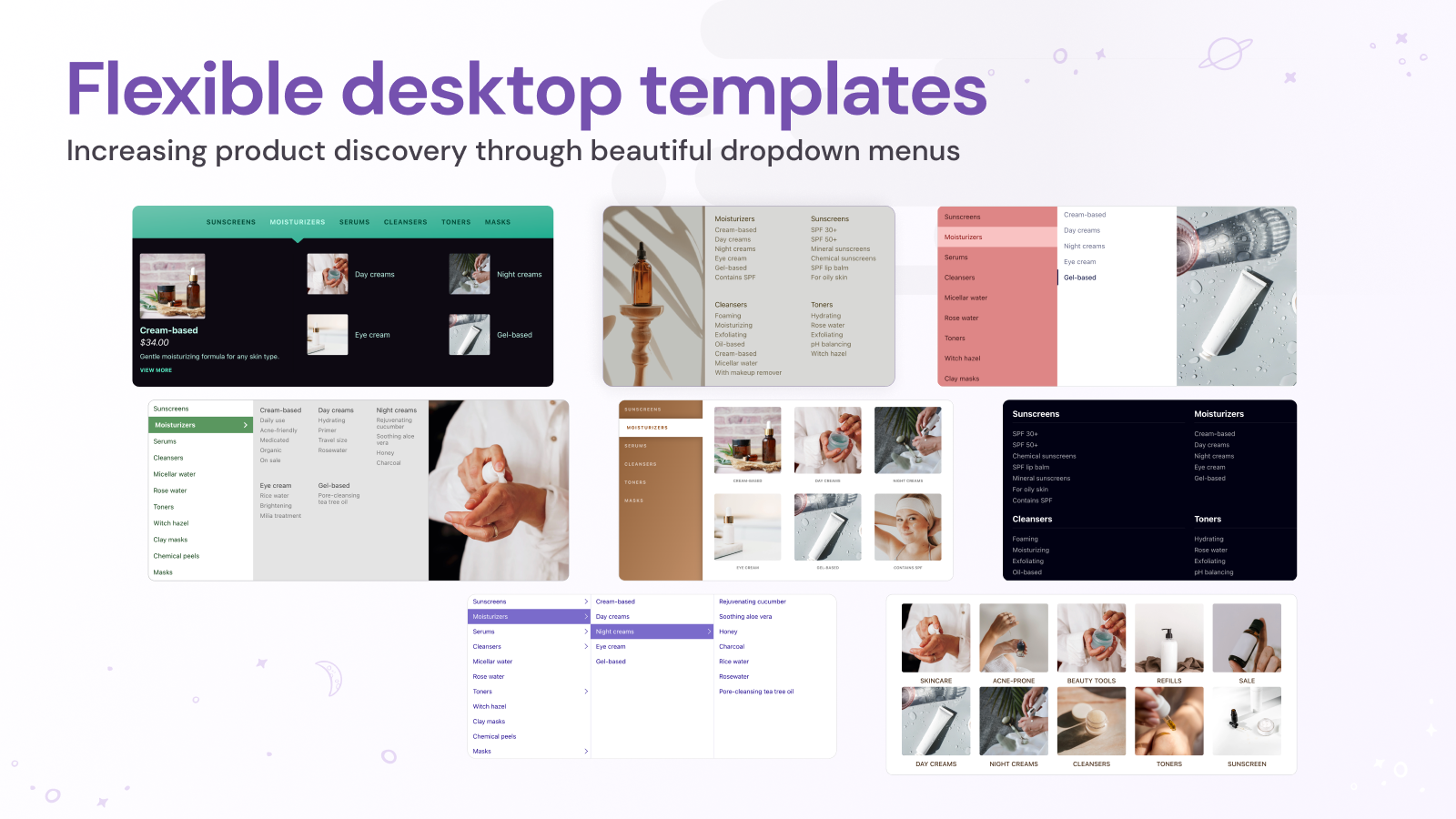
 Create professional dropdown menus that make shopping easier on both mobile and desktop. This mega menu app works with your existing Shopify navigation, making setup quick and simple. Choose from beautiful menu templates and customize them to match your store's style. Showcase product images directly in your navigation menus, helping customers discover items without leaving the current page. Link to any Shopify content - from products and collections to blogs and pages. The app supports multiple regions, displaying translated menu items and local currencies for international stores. Preview your menus before publishing to ensure a smooth shopping experience. With clear menu tiers and user-friendly navigation, customers can easily find what they're looking for across your entire store.
-
#9. Low stock counter: stock count, stock indicator, low stock warning, low in stock, urgency & scarcity

 Create urgency and scarcity on your product pages with a low stock counter and stock alert system. This app displays remaining stock levels, inventory counts, and low stock warnings to encourage faster purchasing decisions. Show stock indicators like "only 2 left in stock" or "limited stock available" based on your custom threshold settings. The stock countdown feature includes pulse animations and stock badges that automatically appear when inventory runs low. You can set up widgets for sold out items, high stock, or one item left scenarios. Apply the inventory counter across all products, specific items, or entire collections to display real-time stock status. Stock labels and available stock information help create a sense of urgency that can improve conversion rates. Easy to configure thresholds determine when the low in stock alert appears to hurry visitors into making a purchase.
-
#10. Easily add downloadable PDFs (or other file formats) to product and any other pages on your store.
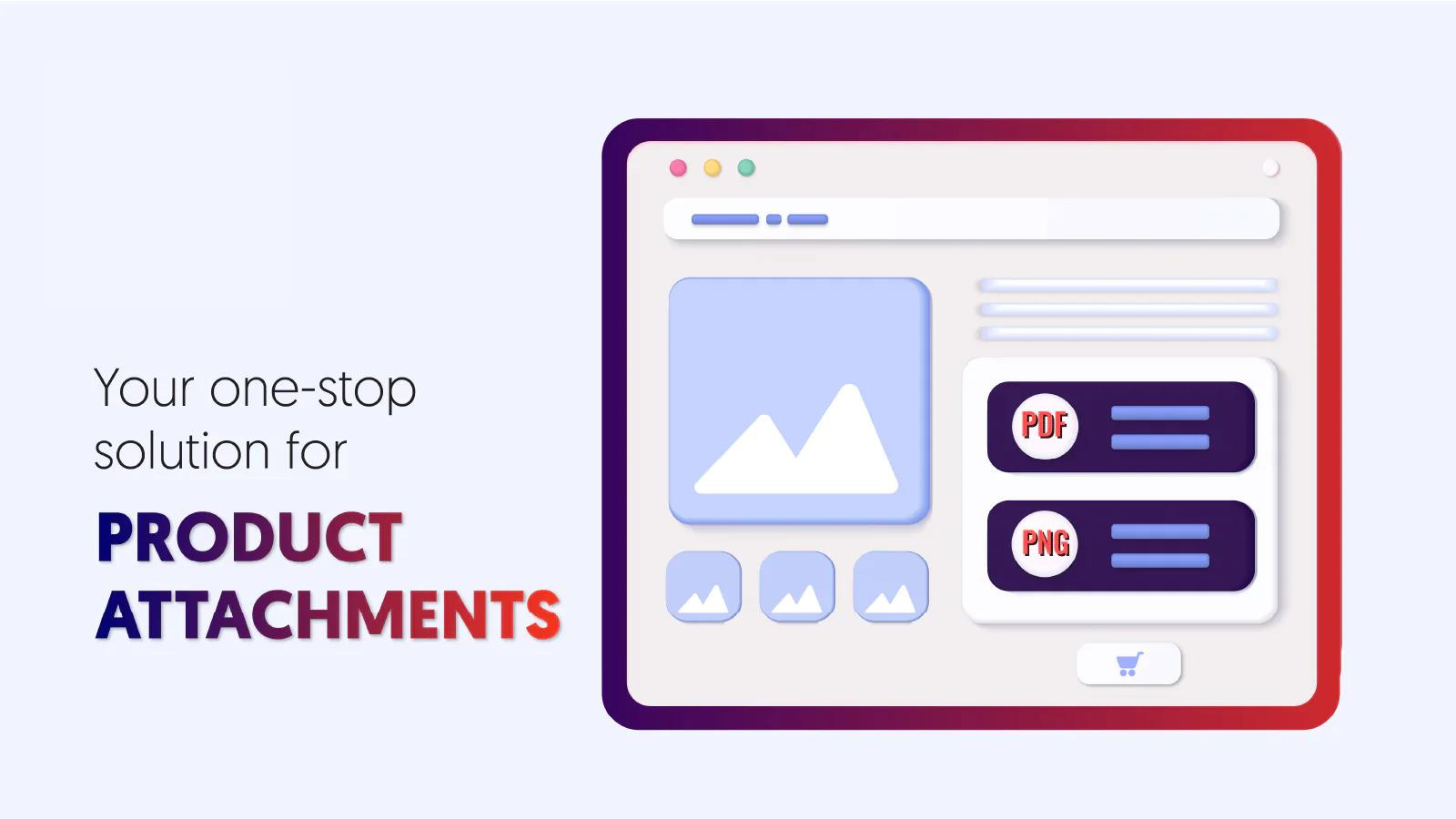
 Add downloadable files to your Shopify product pages with ease. Upload PDFs, manuals, warranties, certificates, and other important documents that customers need to make informed purchases. The app creates a dedicated attachment block that stands out on your pages, making files more visible than when buried in product descriptions. You can attach files to specific products, entire collections, or store-wide, with no limits on the number of attachments. Choose custom icons to make your attachment display visually appealing and professional. Keep your customers well-informed and reduce support inquiries by making important product documentation easily accessible.