
 News
News
 Shopify SEO
 Shopify development
Best alternatives for Selling Point Shopify app in 2027 [Updated]

Selling Point
$49.99/month
Easily migrate or import Gift Cards & Store Credit from any POS system or website, in any currency.
Compare with % app %| Name | Rate on Shopify | Price | Free trial | Key features |
|---|
-
#1. Manage store data: bulk upload and updates with Excel, CSV or Google Sheets. Migrate from any store.
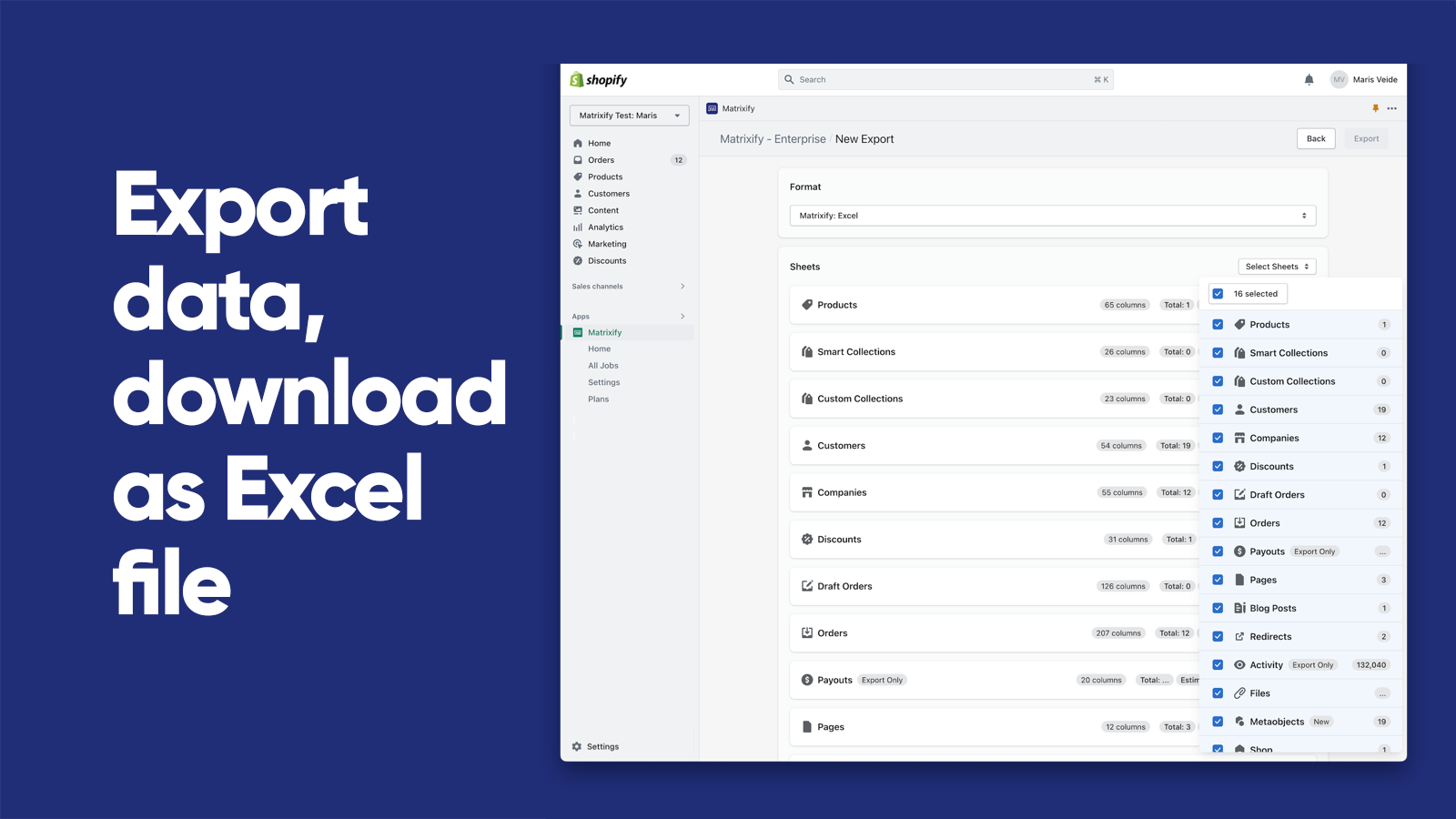
 Manage your Shopify store data in bulk with Excel, CSV, or Google Sheets files up to 20 GB. Import and export Products, Collections, Customers, Orders, Discounts, Metafields, Metaobjects, and more. Migrate your entire store from Magento, WooCommerce, BigCommerce, Lightspeed, or WordPress with ease. Bulk update prices, inventory, and product data. Automate updates and reports through Google Sheets or FTP. Schedule jobs and set auto-repeat tasks to save time. Backup and restore data, or copy between stores. Perfect for B2B Companies, Draft Orders, Payouts, Pages, Blogs, Redirects, and Translations. Works with AI agents like Claude and ChatGPT through MCP server integration.
 -
#2. Import Amazon products to kickstart your dropshipping store or earn affiliate commissions.

 This app helps Shopify store owners import Amazon products to their dropshipping store quickly and easily. Add Amazon best sellers to your shop with just a few clicks and earn Amazon Associate commissions when customers make purchases. Import products with all variants including size and color options. The bulk import feature lets you add unlimited products from Amazon sellers. The app includes an Amazon Affiliate button and automatic price syncing to keep your store updated. Perfect for combining Amazon by Shopify workflows - import products just like a real Amazon seller would. Note that this app works in manual mode, meaning you'll need to handle shipping and order management yourself. Automatic order fulfillment is not available with this tool.
 -
#3. Sell on eBay and your store without overselling. Sync inventory, orders, and listings — both ways.

 Sell on eBay and Shopify without the headache of overselling. This app syncs inventory, orders, and pricing automatically between both platforms — so when something sells on eBay, your Shopify store updates instantly, and vice versa. Import your existing eBay listings or export Shopify products to eBay with one click. Two-way sync keeps everything matched in real time, preventing double sales, cancellations, and damage to your seller reputation. No more manual updates or spreadsheet juggling. Manage multiple eBay accounts from a single dashboard. Set pricing rules, map categories using AI, and use templates to control how your listings appear. The app automatically revises eBay listings when you update titles, images, or product details in Shopify. Stop losing sales and wasting time on manual sync. Keep your inventory accurate across both channels and focus on growing your business instead of fixing errors.
 -
#4. Export product feeds to Google, Meta and marketplaces. Import products from XML feeds or CSV files.

 FeedFix helps you export product feeds to Google, Meta, TikTok, and marketplaces while keeping your catalog in sync across all sales channels. Build custom XML feeds for any platform including Klaviyo, Awin, Impact.com, and price comparison sites without constant manual work. Import products from suppliers using XML feeds or CSV files with automatic sync. Set custom price rules and filters for every product import and export. The app supports multi-language, multi-market, and multi-currency stores, so you can export products in different languages and currencies from one catalog. Whether you need a Google feed, Meta feed, or custom product feed for any channel, FeedFix handles the formatting each platform expects.
 -
#5. A modern bulk export & import tool for all store data, compatible with Matrixify files.

 Altera is a bulk export and import tool designed to handle all your Shopify store data with ease. This app works seamlessly with Matrixify-compatible files, making it perfect for store migration, data backup, or copying information between multiple stores. The app supports a wide range of data types including products, linked variants, orders, customers, files, smart collections, manual collections, blogs, metaobjects, redirects, menus, metafield definitions, discounts, catalogs, companies, locations, and translations. You can import and export using Excel or CSV files without making any changes to your existing Matrixify formats. Altera goes beyond basic import/export functionality by offering automation through Google Sheets, Google Drive, SFTP, WebDAV, and FTP. It's built to keep pace with Shopify's evolution and supports store cloning and migration from platforms like WooCommerce and Etsy. The app even integrates with AI agents such as ChatGPT and Claude through MCP server or CLI for advanced workflows.
 -
#6. Import, bulk edit, sync, and migrate products. Multi store sync and bulk update in one app

 SyncX: Stock Sync is a complete inventory sync and automation solution for Shopify merchants. This app helps you stop overselling by syncing stock in real-time across multiple stores and data sources. Import and update products from WooCommerce, BigCommerce, Square, or CSV/XLSX files. Connect any source using Google Sheets, FTP/SFTP, Google Drive, Dropbox, or REST API. Auto-sync inventory from various feeds and custom URLs. The app includes bulk product editing with instant category mapping, scheduled price updates with markups, and AI SEO tags. Manage collections by automatically pushing out-of-stock items down while moving best-sellers up. Additional features include syncing images and metafields, auto-removing discontinued products, auto-publishing restocked items, and adding custom product data like dimensions, materials, and ETA information.
 -
#7. Integrate your Store with Square POS.Effortless product import, export, and inventory sync.

 Integrate your Shopify store with Square POS to keep products, inventory, orders, customers, and gift cards connected across both platforms. Import and export complete product details including descriptions, images, and pricing in both directions. Sync stock levels across multiple locations using shared SKUs to maintain accurate inventory counts. Manage Square orders directly from Shopify, and automatically send Shopify orders, refunds, and cancellations to Square with failure alerts and manual retry options. Customer data stays updated on both systems, while gift card syncing works seamlessly in both directions. The app supports bulk product uploads, order fulfillment tracking, and location linking between Shopify and Square. Get help anytime with 24/7 support through live chat, tickets, and Google Meet calls.
 -
#8. Access your product images in Canva and seamlessly send designs between platforms.

 Connect your Shopify and Canva accounts to seamlessly manage product images across both platforms. Access your Shopify product catalog, collection images, and videos directly within Canva - no manual downloading or uploading needed. Simply drag and drop your product visuals into Canva to create professional marketing materials, social media posts, email campaigns, website banners, and sales collateral. The integration works both ways: import your Canva designs to Shopify product pages or edit Shopify images right in Canva. Perfect for merchants who want to create stunning visuals while keeping their product imagery organized and accessible. Works with Seguno Email Marketing to add Canva designs directly to your email campaigns.
 -
#9. Migrate or import data from WooCommerce, Magento, BigCommerce, Prestashop,.. easily with no downtime
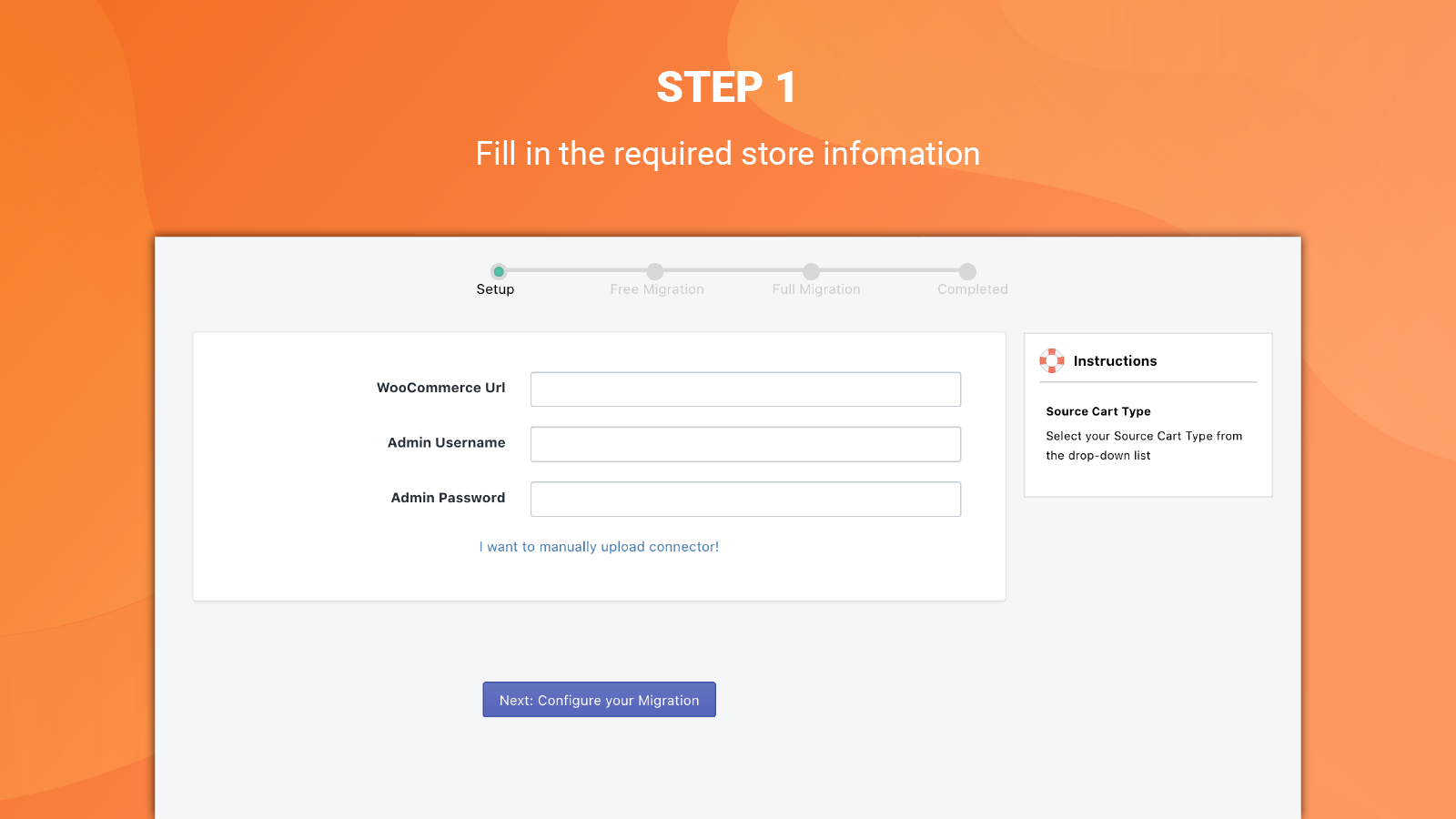
 LitExtension Store Migration App simplifies your Shopify and Shopify Plus migration with AI-assisted automation. Migrate from WooCommerce, Magento, BigCommerce, PrestaShop, Lightspeed, and more with no downtime. The app handles advanced data types including metafields, multi-language content, gift cards, and companies. Import data in 3 simple steps with full Matrixify compatibility. AI technology maps your data and identifies issues early, while 301 redirects protect your SEO. Customize your migration to meet specific needs and keep selling during the process. Support for 2048 variants and 3+ options included. Post-migration updates available. Expert guidance and 24/7 live support provided. No technical skills required.
 -
#10. Bulk product edit made safe: preview, schedule, import/export CSV, and undo changes.

 EditEngine Bulk Product Editor lets you safely edit thousands of products at once. Filter products by collection, tag, vendor, status, or inventory, then bulk edit prices, titles, descriptions, tags, collections, inventory, metafields, SEO, URLs, and Google Shopping data. You can ask Shopify Sidekick to set up edits for you or do it yourself. Preview every change before it goes live to make sure everything looks right. Schedule edits to run later for sales and product launches, or run them immediately. If something goes wrong, undo any bulk edit from your operation history. Import and export product data using CSV files for easy management.