News
News
 Shopify SEO
 Shopify development
Best alternatives for PushLast Out of Stock Sold Out Shopify app in 2027 [Updated]

PushLast Out of Stock Sold Out
From $3.99/month. Free trial available.
Real-Time Product Sorting for Sold Out and Out of Stock Products Reshuffling When Back in Stock
Compare with % app %| Name | Rate on Shopify | Price | Free trial | Key features |
|---|
-
#1. Multi location stock display, geosearch, store selector, location filters, B2B & click & collect

 This app is essential for Shopify merchants managing multiple locations including physical stores, warehouses, and click & collect points. It displays stock levels and incoming inventory per location directly on product pages, helping customers find available products nearby through a geosearch store locator. Build smart collections and apply location filters based on stock availability using metafields. The store selector supports click and collect, local pickup, and location-based purchasing. Restrict ordering by customer tags for B2B wholesale and company accounts, with warehouse locations assigned to specific B2B companies for controlled inventory access. Access location inventory data through JSON metafields in Liquid for custom workflows and ERP integrations. Set up back-in-stock alerts per location to keep customers informed about product availability at their preferred stores.
 -
#2. Print labels for products and orders. Powerful Liquid support, address labels, Stocky POs and more.
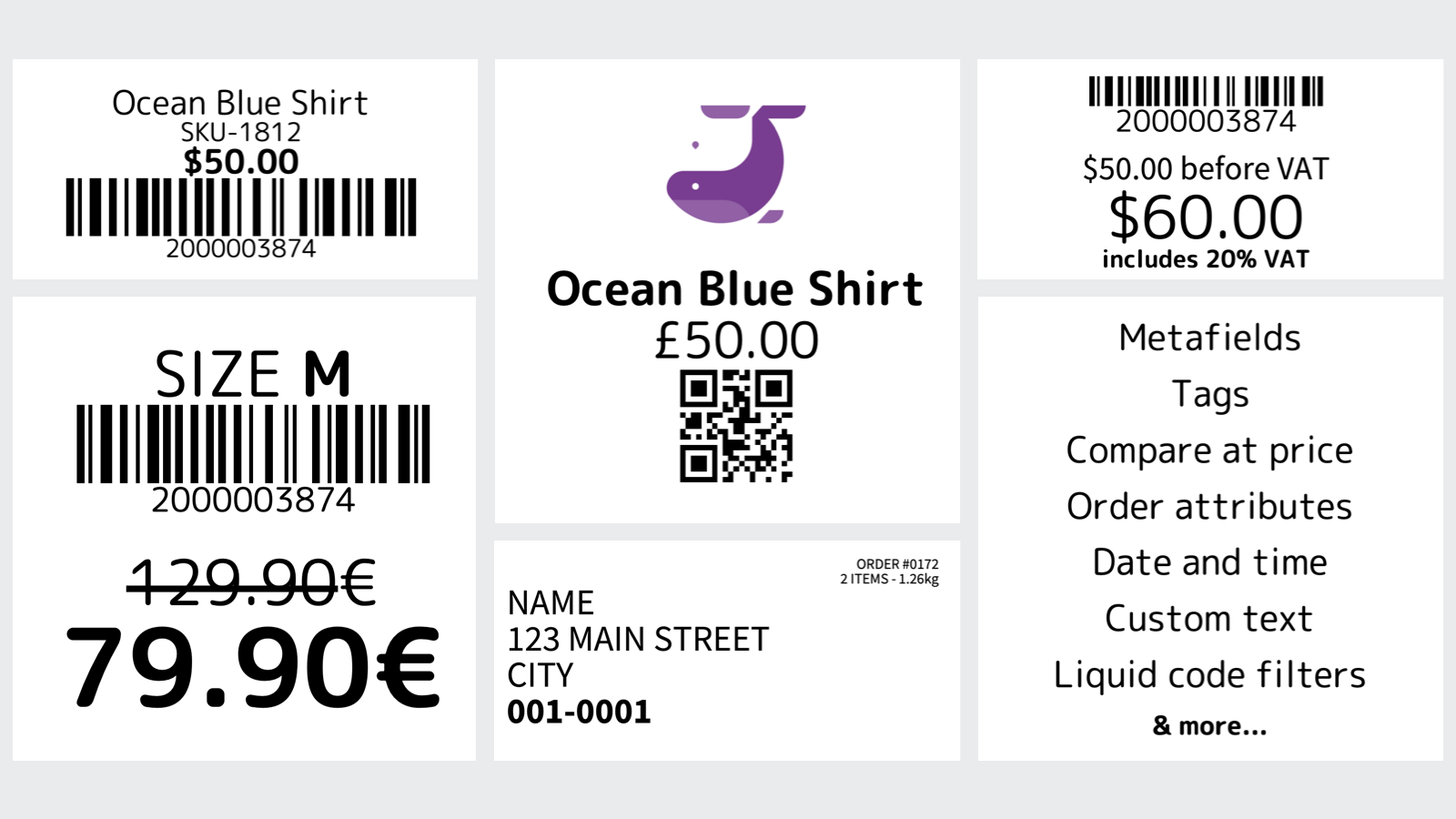
 Create professional barcode labels for your products and inventory with this comprehensive printing solution. Design custom labels using Liquid code to format product data, SKUs, and text exactly how you need them. Print address labels for orders and Stocky purchase orders to speed up fulfillment processes. The app works with popular label printers including Dymo, Zebra, Brother, and Rollo, plus standard inkjet and laser printers. Generate QR codes linking directly to product and order pages, and easily assign sequential barcodes to your items. Customize your templates with logos, fonts, and metafields while accessing all your product information and attributes. Whether you're printing product labels, shipping labels, or PO labels, this tool helps you manage inventory and orders more efficiently.
 -
#3. Inventory management for makers & manufacturers. Create bills of materials & track profitability

 Take control of your materials inventory with this practical management solution designed for makers and manufacturers. Track raw materials and finished products in real-time, ensuring your Shopify inventory stays accurate and synchronized. Create detailed bills of materials, monitor production costs, and analyze product profitability with ease. The app helps prevent stockouts by automatically adjusting inventory levels and sending low stock alerts. Generate smart purchase orders based on your inventory thresholds, so you always order the right quantities at the right time. Access complete inventory movement history and cost tracking to make informed business decisions. Perfect for crafters, manufacturers, and businesses that transform raw materials into finished products. Keep your production flowing smoothly while maintaining accurate stock levels across your Shopify store.
 -
#4. Enhanced catalog and order management features to support brand owners for their dropshipping

 Dscopify Dropship helps brand owners and suppliers manage their dropshipping operations with trading partners and online retailers. The app centralizes your product catalog, inventory, and pricing while automating key processes through API and EDI integrations. Manage your entire dropshipping workflow - from content updates to order fulfillment - in one place. Generate custom packing slips from 20+ templates and track shipping label costs automatically. Built on enterprise technology, Dscopify adapts to your specific business requirements, making it easier to coordinate with multiple retail partners. Whether you need to share product data, sync inventory, or process orders efficiently, this app provides the essential tools for successful dropshipping management.
 -
#5. Synchronize inventory, products, orders, collections in real time in multiple stores automatically.

 Multi-Store Sync Power helps you maintain accurate inventory and product data across all your Shopify stores in real time. When orders, refunds, or restocks happen, inventory levels update automatically across connected stores. The app synchronizes essential product details including descriptions, images, metafields, and collections without manual intervention. Set up flexible two-way sync rules to manage inventory at different store locations. The system monitors SKUs and barcodes to prevent mismatches, ensuring reliable synchronization. With 24/7 support and automated multi-store management, you can keep your stores perfectly aligned and inventory accurate at all times.
 -
#6. Delete duplicate products or duplicate variants. Remove duplicate SKUs, EANs with duplicate finder.

 This app helps you find and remove duplicate products and variants from your Shopify store. Search for duplicates by title, SKU, or barcode using the built-in duplicate finder. Choose to bulk delete all duplicates at once based on different criteria - keep the oldest or newest version. Filter duplicate products by recently added items or price. If you prefer to review before deleting, manually remove duplicates one by one. Scans clearly display all duplicate products and variants with their SKU, barcode, or title information. Get detailed feedback and logs of your bulk delete actions so you always know exactly what's been removed from your store.
 -
#7. With SyncX: Mistake Finder - Product Assistant, make sure your product information are accurate

 SyncX: Mistake Finder helps you keep your product information accurate and error-free. Managing inventory is tedious work, and human or technical mistakes happen. Product errors can damage your business and cost you customers. This app detects and displays mistakes in your product listings so you can fix issues immediately. View all products with errors on a single dashboard and filter them based on custom rules you set up. Choose which rules to apply and quickly identify products with incorrect information. The Product Assistant makes finding and correcting inventory mistakes simple, protecting your store from costly errors before they impact sales.
 -
#8. Never oversell again. Auto-sync inventory from any supplier in CSV, XML, API, FTP formats and more.

 Automate inventory sync from any supplier and never oversell again. Stockistly connects your store to dropshippers, warehouses, and wholesalers through CSV, XML, API, FTP, Google Sheets, and more feed formats. Set your sync schedule from hourly to daily and let it run automatically. The app handles price sync with custom markup rules—choose percentage or fixed amounts per supplier. Get low stock alerts and out-of-stock notifications by email so you're always informed. View detailed sync history to track all updates. Perfect for dropshipping stores, multi-warehouse operations, and wholesale businesses. Setup takes just 5 minutes with free live chat support and feed configuration help included.
 -
#9. Multi-channel, Inventory, Content & Orders Management platform for jewelry and diamonds.
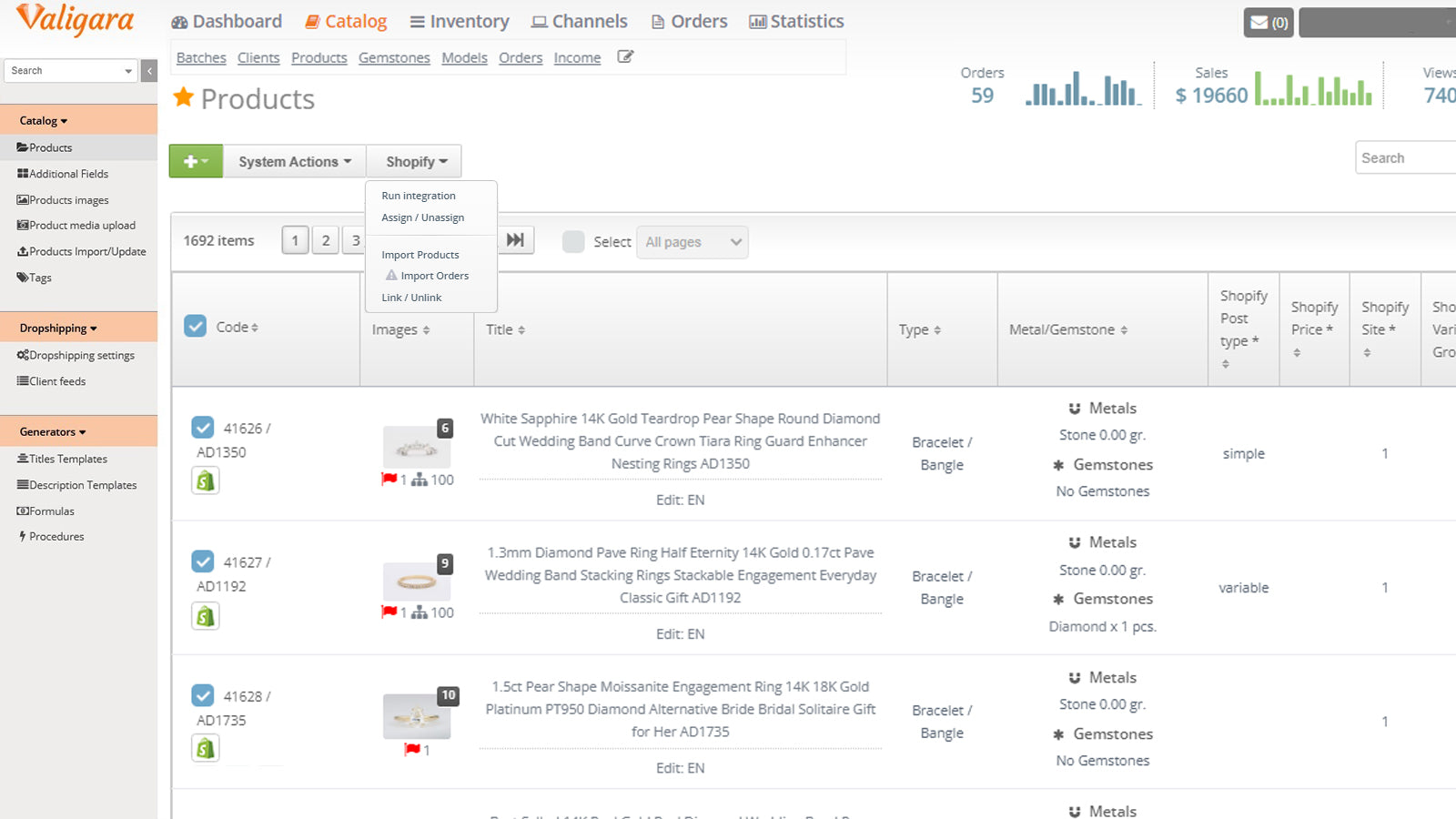
Manage your jewelry business seamlessly with Valigara's comprehensive management platform. This specialized software helps jewelers, diamond manufacturers, and retailers handle inventory across multiple warehouses, sync products across sales channels, and process orders efficiently. The platform includes jewelry-specific features for product information management, marketing automation, and purchase tracking. Connect with major jewelry e-commerce platforms while maintaining full control of your operations. Monitor performance, create social media content, and manage email campaigns using customizable templates. Built with deep jewelry industry expertise, Valigara lets you focus on growing your business while automating daily tasks. -
#10. Route or split orders to fulfill from location based on address, tags, distance or stock levels


AFR Advanced Fulfillment Rules
$19.99/month | Usage charges apply. Free trial availableAFR Advanced Fulfillment Rules automatically assigns orders to the right fulfillment location based on rules you configure. Route orders by shipping address (country, state, postcode, or city), customer tags, order tags, distance to nearest location, or stock levels. When inventory runs short at one location, you can split orders across multiple locations or keep them together to prevent unwanted split shipments. Each order displays routing details and reasons, with the option to manually reassign from your admin panel. The app runs automatically on every new order and integrates with Shopify Flow, works with 3PLs, and supports all Shopify plans. Perfect for merchants managing multiple fulfillment locations who need intelligent order routing based on proximity, stock availability, or custom business rules.