
 News
News
 Shopify SEO
 Shopify development
Best alternatives for Easify Product Attachments Shopify app in 2027 [Updated]

Easify Product Attachments
Free
Easily add downloadable PDFs (or other file formats) to product and any other pages on your store.
Compare with % app %| Name | Rate on Shopify | Price | Free trial | Key features |
|---|
-
#1. Skip the plain dropdown. Show variants options as a Product Variant color swatch or Product Swatch.

 Color Swatch King turns your basic variant picker into an attractive display of color swatches and variant swatches. Show product variants as image swatches, buttons, or dropdowns on both product and collection pages instead of plain dropdowns. Display every variation of your product variants with clean variant selectors that include prices, labels, and badges. Add New, Sale, and Sold-out badges to highlight product status. The app automatically greys out out-of-stock combinations and lets you hide unavailable variants completely. Save time with bulk CSV upload for color swatches across multiple product variants. Link size charts directly to your variant options. Show variant swatches on collection pages so customers see all available options before clicking through. Works seamlessly with Shopify Markets and B2B stores. Free setup assistance included from product variant experts. Track performance with built-in live analytics to see how customers interact with your variant swatches.
 -
#2. Automate merchandising decisions on collection pages to increase revenue and reduce manual work

ST: Product & Collection Sort
Free plan available | Free trial availableThis intelligent collection merchandising app helps you organize and sort your Shopify collections automatically using data-driven insights. Create smart sorting rules based on key metrics like revenue, profit, product views, add-to-cart rates, and inventory levels. The visual drag-and-drop manager lets you pin featured items at the top while automatically handling sold-out products. Set up dynamic collections sorted by multiple factors including new arrivals, trending items, specific sizes, sale products, and custom metafields. The app analyzes your store's order history and GA4 data to optimize product placement, reducing manual work while improving collection performance. Advanced features include product demotion, shuffle sorting, and multi-segment organization for better merchandising results. -
#3. AI collection sort, collection page merchandising & personalisation for all-in-one product discovery

 KX AI Collections is a no-code AI collection sort and merchandising platform that helps you organize products intelligently. Sort, pin, and group items using over 100 data parameters including revenue, conversion, margin, inventory, size availability, returns, and reviews while maintaining your brand aesthetics. The app combines AI-powered collection sorting with manual control, letting you balance new arrivals, best sellers, product type, and color through segmented sorting. Apply merchandising strategies across multiple collections using templates. No heavy implementation required - simply install and start optimizing your product discovery experience right away.
 -
#4. Smart tabs & accordions for product description, shipping info. Enhance product page layout & UX

 The FOLDER app helps you organize product descriptions on your product page using tabs and accordions. Create shared tabs that work across multiple products, collections, or vendors to save time. You can also add them using Liquid code for more flexibility. The app automatically generates tabs from headings in your product descriptions. Add specialized tabs like reviews, size charts, FAQs, and shipping information through integrations with third-party apps. This includes cross-sell and upsell tabs to showcase related products. All tabs and accordions are fully responsive, ensuring a smooth shopping experience on any device. Choose from ready-made design templates or use the Visual Editor to customize the look and feel to match your store perfectly. The app supports Liquid code in shared tabs for dynamic, store-specific content that adapts to your needs.
 -
#5. Accordion tabs for your Product Description - Product tabs. FAQ pages.

 Create organized FAQ pages and product descriptions using easy-to-navigate accordion tabs. This app automatically converts your content into expandable sections, making information more accessible to customers. Add product-specific tabs or create static panels that work across your entire store, specific collections, or individual items. Perfect for managing detailed product information, size guides, reviews, and third-party app integrations. The accordion widgets are fully accessible, meeting WCAG 2.0 and Section 508 standards. Whether you need to structure lengthy product descriptions or build comprehensive FAQ sections, this app helps you present information in a clean, user-friendly format that keeps your store pages neat and professional.
 -
#6. Go beyond the limits of your theme and easily add smart, professional tabs to your product pages.

 Tabs Studio helps you organize product descriptions into professional tabs and accordions without any coding. Automatically generate tabs from existing headings in your descriptions, or create shared tabs that apply to multiple products based on collections, tags, product type, and vendor. Edit a shared tab once and it updates across all products instantly. Display metafields in tabs easily, add custom icons, and choose from design presets that match your store's style. The tabs are fully responsive and work seamlessly on any device while staying WCAG 2.1 compliant for accessibility. Keep your product pages clean and organized, making it easier for customers to find information and reducing support questions and returns.
 -
#7. Give buyers a quick order form for wholesale orders, bulk orders, and fast reorders.
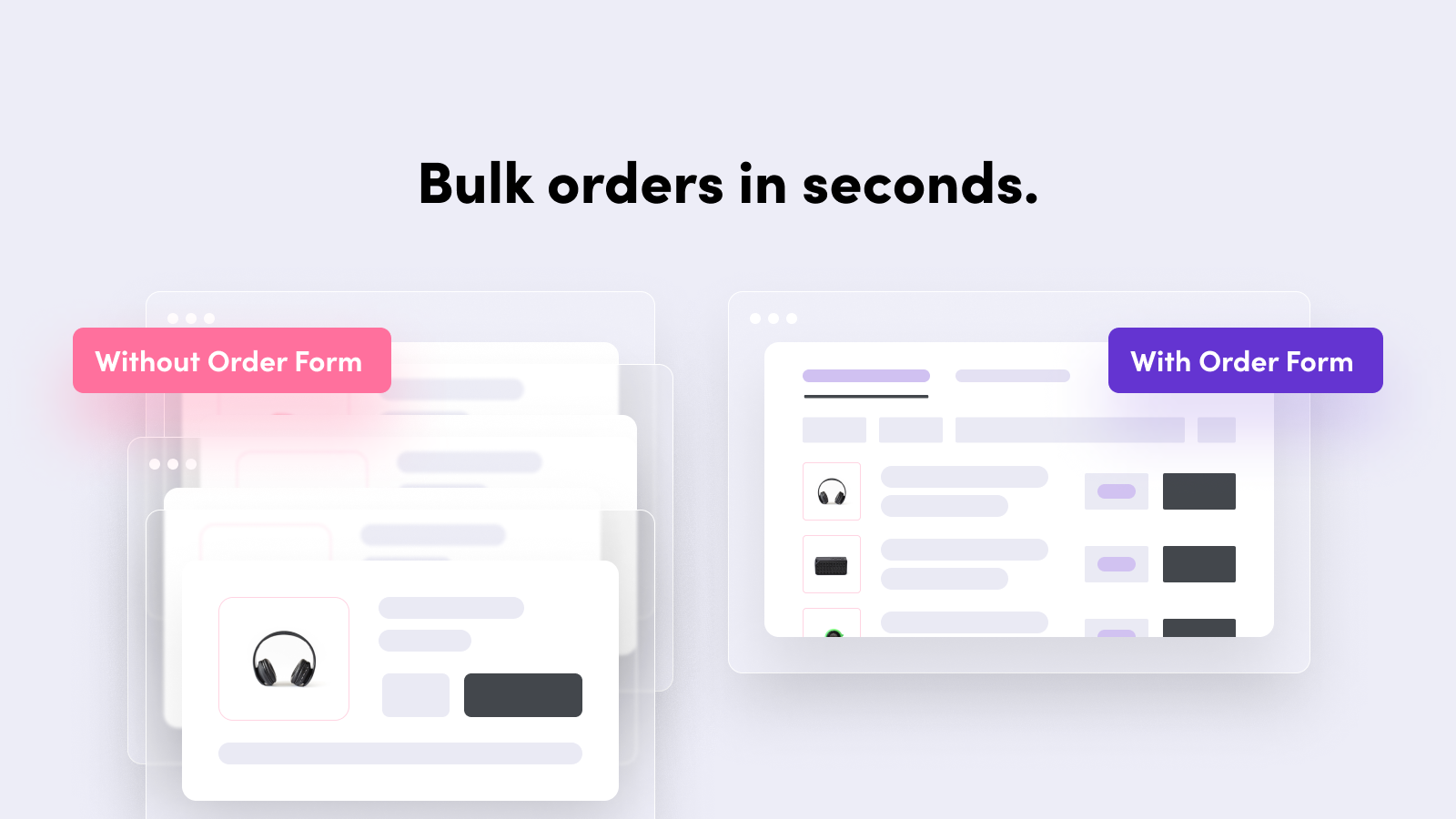
 This wholesale order form helps B2B and retail stores speed up bulk ordering with a single-page quick order form. Buyers can add multiple products, adjust quantities, and complete reorders in seconds without endless page loads. The app displays inventory, SKUs, and barcodes directly on the order form, making it perfect for wholesale customers who need to order faster. You can add a product matrix to any product page using Shopify App Blocks and control which customers or visitors can view and purchase products. The bulk order form is fully customizable to match your store's theme and branding, working seamlessly on desktop and mobile devices. It simplifies large carts and makes reordering effortless for your wholesale customers.
 -
#8. Help shoppers find products they love with beautiful dropdown menus for mobile and desktop.
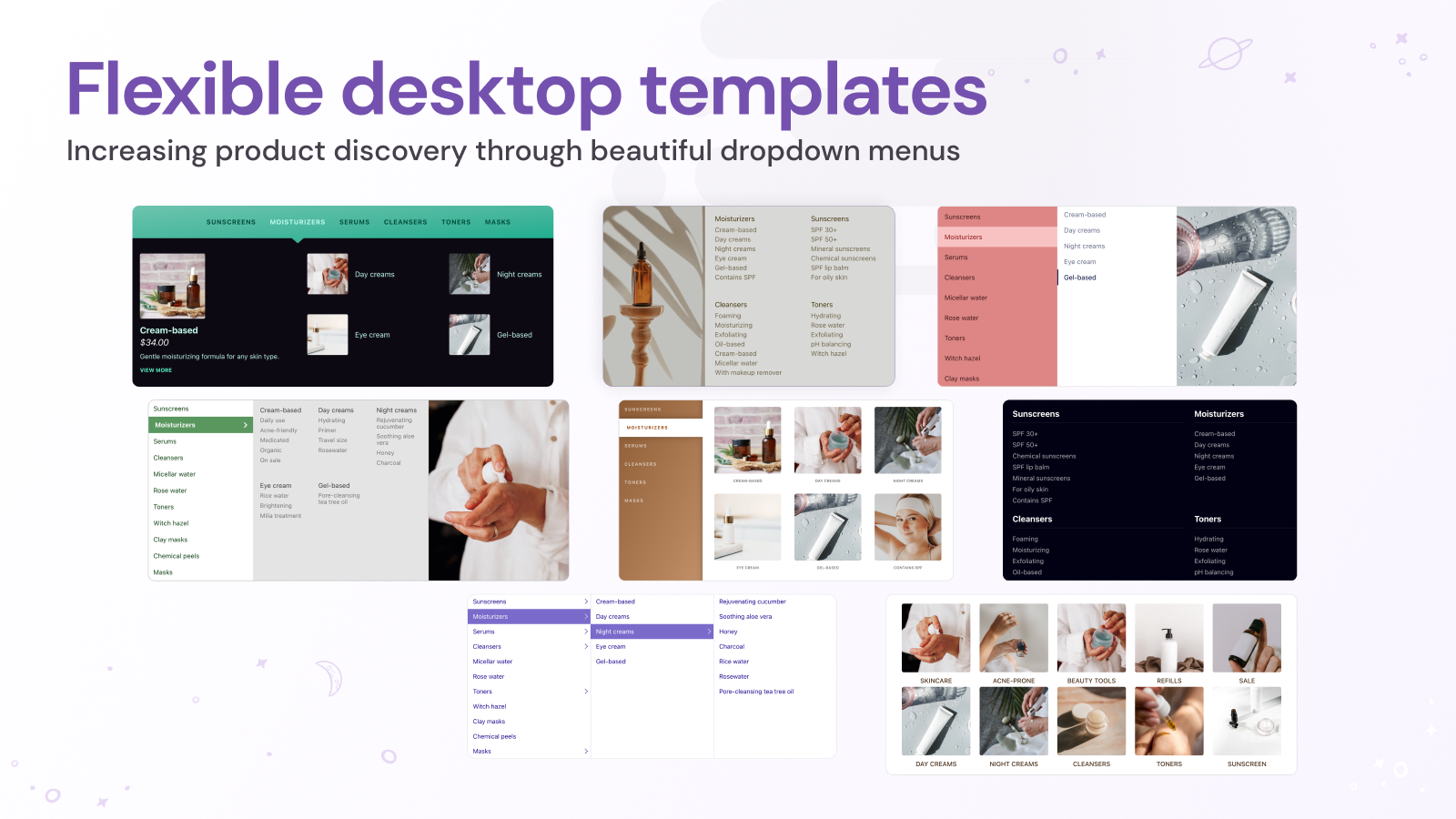
 Create professional dropdown menus that make shopping easier on both mobile and desktop. This mega menu app works with your existing Shopify navigation, making setup quick and simple. Choose from beautiful menu templates and customize them to match your store's style. Showcase product images directly in your navigation menus, helping customers discover items without leaving the current page. Link to any Shopify content - from products and collections to blogs and pages. The app supports multiple regions, displaying translated menu items and local currencies for international stores. Preview your menus before publishing to ensure a smooth shopping experience. With clear menu tiers and user-friendly navigation, customers can easily find what they're looking for across your entire store.
 -
#9. Low stock counter & scarcity widget: stock level, low stock alert, in stock & urgency countdown.

 Create urgency and scarcity on your product pages with a low stock counter and stock alert system. This app displays remaining inventory, stock levels, and limited stock notifications to encourage faster purchasing decisions. Show customers exactly how many items are left in stock with customizable stock indicators and countdown displays. Set up low stock alerts and inventory counters that appear based on your chosen threshold. Display stock status labels like "only one left in stock," "high in stock," or "sold out" to inform shoppers about product availability. The stock counter features pulse animation to grab attention and drive conversions. Apply the widget across all products, specific items, or entire collections. Configure inventory level displays to show stock countdown timers and available stock counts. The low stock badge and stock indicator help create a sense of urgency that motivates visitors to complete their purchase before items run out.
 -
#10. Use tabs or accordion on product pages to optimize, save time. Generate product descriptions with AI

 Create professional product pages with customizable tabs and accordion sections that help customers find information easily. Save valuable time using shared content templates for size guides and warranty details across multiple products. The app includes AI-powered tools to generate SEO-optimized product descriptions and tabs. Choose from ready-made designs or customize the look to match your store perfectly. Built with SEO and accessibility in mind, the app uses lightweight code that won't slow down your store. Whether you prefer horizontal tabs or vertical accordion layout, you can organize product content in a way that improves the shopping experience and helps drive more sales.